Ecommerce conversion optimization is the process of increasing the percentage of visitors who buy by reducing friction across the shopping journey. In most stores, the biggest gains come from improving product-page clarity, removing checkout friction, surfacing shipping and returns information earlier, and measuring the right KPI so you optimize revenue, not just clicks.
If your store gets traffic but not enough sales, the issue is usually not a lack of tactics. It is usually one of three things: the wrong traffic is landing on the site, shoppers do not have enough confidence to buy, or friction appears at the moment they are ready to convert.
In this guide, you’ll learn what ecommerce conversion optimization is, what to measure, what to fix first, and which tactics have the biggest impact on revenue.
What is Ecommerce Conversion Optimization?
Ecommerce conversion optimization is the process of increasing the percentage of visitors who complete a valuable action, usually a purchase, by improving the shopping experience and removing friction. The most effective CRO work usually focuses on product-page clarity, checkout usability, trust signals, shipping transparency, and better measurement.
Understanding eCommerce Conversion Optimization
Ecommerce conversion optimization is the process of increasing the percentage of visitors who take a valuable action on your site, usually making a purchase. In practice, that means identifying where shoppers hesitate, where they abandon the journey, and what changes will reduce friction and improve confidence.
A strong ecommerce CRO program does not focus only on design tweaks. It also looks at traffic quality, product-page clarity, checkout usability, trust signals, and the metrics you use to measure success.
What is a conversion in eCommerce?
In ecommerce, a conversion is any action that moves a visitor closer to revenue. The primary conversion is usually a completed purchase, but secondary conversions can include adding a product to cart, starting checkout, signing up for email, or using a product finder.
Defining primary and secondary conversions clearly helps you measure progress across the funnel instead of treating every visitor the same.
How to calculate the conversion rate
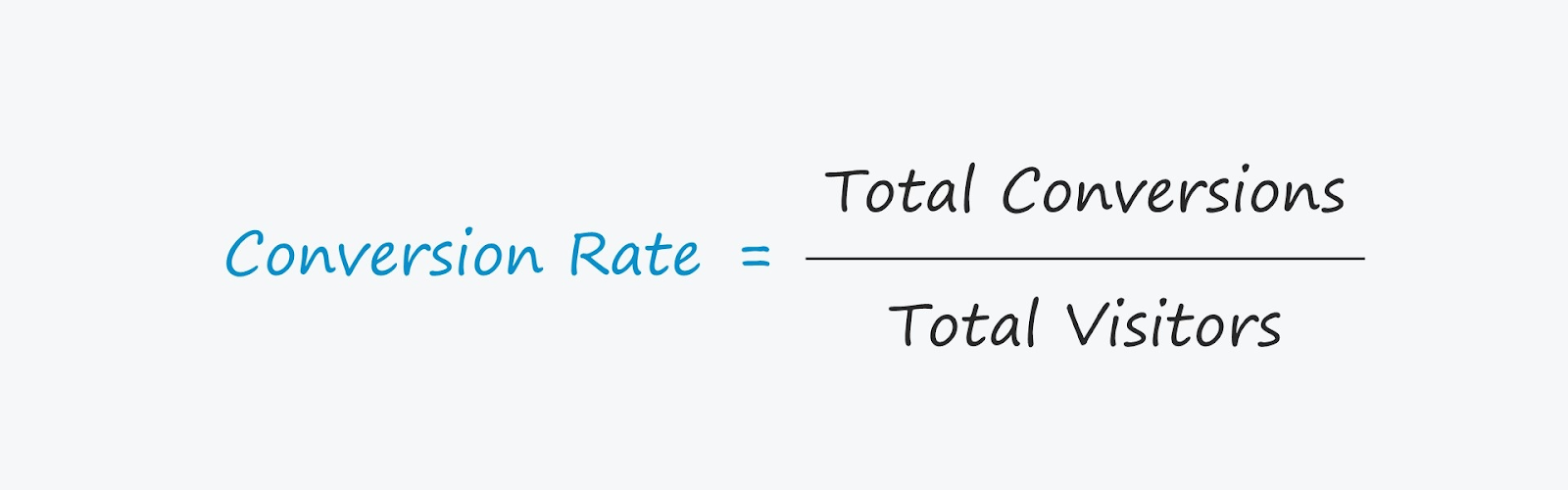
Image source: Wall Street Prep
How to calculate the conversion rate
To calculate ecommerce conversion rate, divide the number of conversions by the number of visitors or sessions, then multiply by 100.
Formula: Conversion Rate (%) = (Conversions ÷ Visitors) × 100
Example: If your store had 1,000 visitors and 50 purchases, your conversion rate would be 5%.
Tracking conversion rate over time helps you understand how effectively your store turns visitors into customers. It becomes even more useful when reviewed alongside metrics like revenue per visitor, cart abandonment rate, and checkout completion rate.
What is a good eCommerce conversion rate?
A “good” ecommerce conversion rate depends on factors like product category, traffic quality, device mix, price point, and audience intent. Instead of relying on a single universal benchmark, compare your performance against your own historical data, similar stores, and segmented performance by device, channel, and landing page.
The more useful question is not “Is my rate good?” but “Where are visitors dropping off, and which segment has the biggest opportunity?”
Key metrics beyond conversion rate
Conversion rate is important, but it should not be the only metric guiding your CRO decisions. Track these alongside it:
- Revenue per visitor (RPV): shows whether changes improve both conversion and order value
- Average order value (AOV): helps measure merchandising and upsell impact
- Checkout completion rate: shows how efficiently shoppers move from cart to purchase
- Cart abandonment rate: highlights late-stage friction
- Payment success rate: reveals payment or form issues
- Refunds or cancellations: protects against false “wins” that create poor customer outcomes
- Bounce rate and engagement metrics: help identify intent mismatch or weak landing-page experience
How behavior analytics helps you find conversion friction faster
Analytics can tell you where users drop off. Behavior analytics helps explain why. That distinction matters because CRO rarely improves through averages alone. To fix the right problems, ecommerce teams need to connect funnel data with real user behavior, friction signals, and feedback.
Behavior analytics lets you see underperforming product pages, ineffective website sections, and confusing navigation elements through a single, intuitive dashboard. Fix those issues and you will streamline your conversion funnel and overall shopping experience.
Session replays let you record how customers interact with your online store. It helps you see why customers hesitate on landing pages or abandon their carts. You can get helpful insight into what’s blocking conversions.
Dynamic website heatmap tools show where customers click, move and scroll on your product pages and category listings. This is key to optimizing your store’s layout and functionality. By testing website speed, different high-quality images, CTAs, detailed product descriptions, and other page elements, you can ensure your eCommerce site is user-friendly.
You can also collect customer feedback. Ask them about their experience, and you’ll find out where the pain points are. Then, you can make changes and remove conversion blockers that would otherwise go unnoticed, like complicated checkout flow or unclear shipping info.
Remember, the goal is to improve every step of the customer journey, from product discovery to purchase and increase customer satisfaction to boost your eCommerce sales.
Maximize Your Conversion Rate With FullSession
See how our CRO tools help you improve website performance to drive conversions.
How to Improve Ecommerce Conversion Rate With Fullsession
The foundation of CRO for eCommerce businesses is understanding how users interact with the online shop during their visit. The best digital analytics tools, like FullSession, will give you insights into customer behavior, technical issues, and areas to improve.
Let’s explain how to use FullSession to optimize your e-commerce conversion rate.
Conduct conversion funnel analysis to spot drop off points
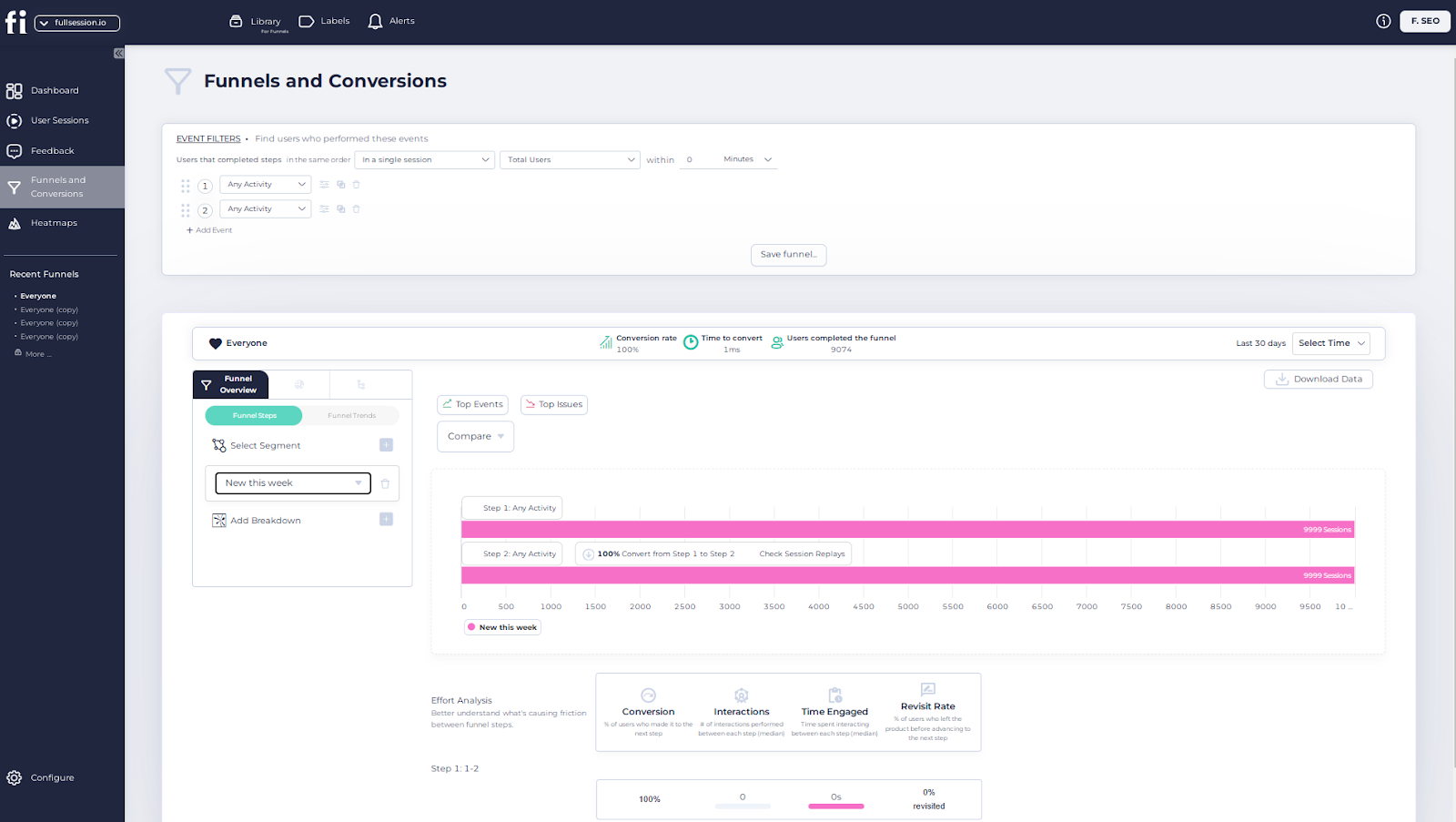
With FullSession, you can conduct conversion funnel analysis to see where users drop off. You can follow the customer journey from the landing page to checkout to better understand and quickly resolve the obstacles hindering their experience.
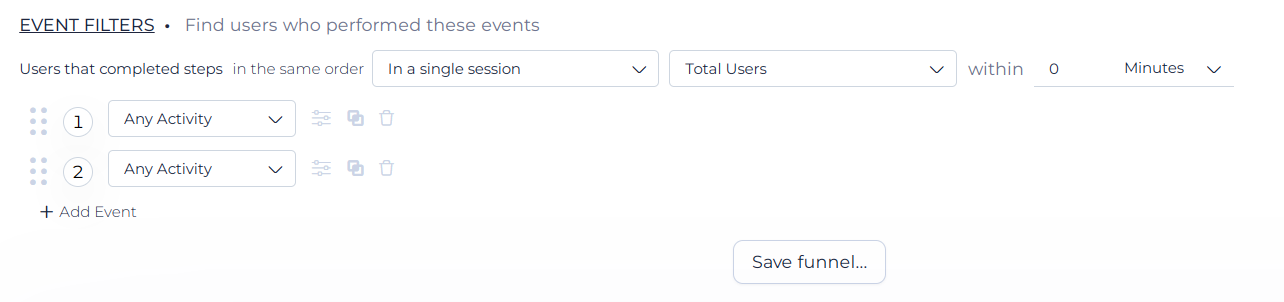
You can set up your conversion funnel using advanced event filters and find users who performed specific actions during a single or several sessions.
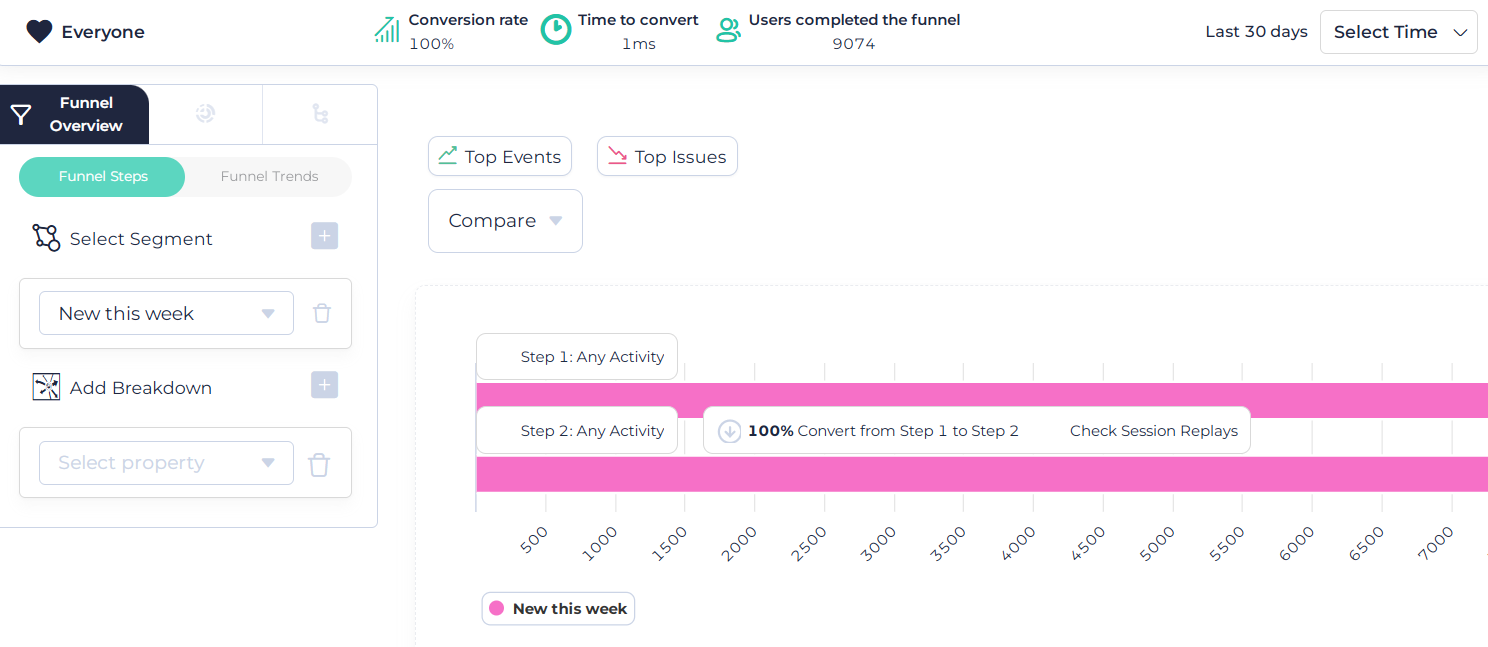
With FullSession’s advanced CRO tools, you can also:
- Select specific time frame for your analysis
- Get a funnel overview
- Calculate the conversion rate and time to convert
- See total users that completed the funnel
- Visualize funnel steps and trends
- Select customer segment
- Add a breakdown
- See top events and issues
- Compare time periods or segments
You can also conduct an effort analysis to understand the key reasons causing friction between funnel steps.
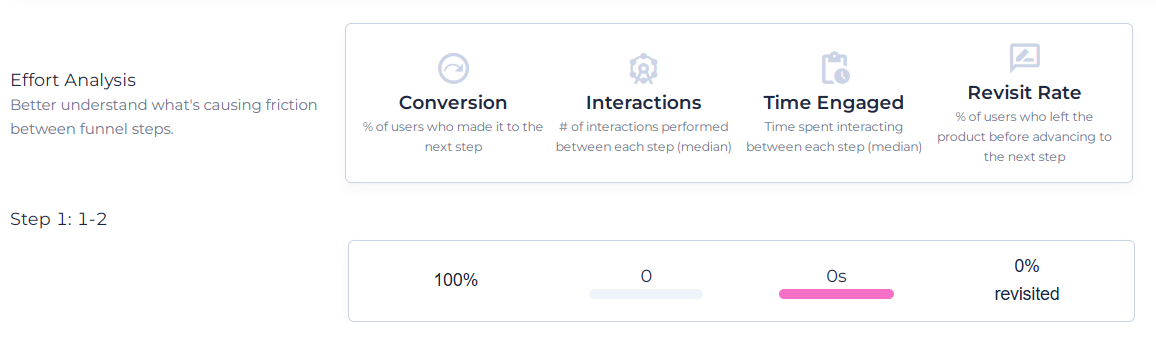
Beyond finding issues, FullSession allows you to streamline the purchase process and remove friction points to create a smoother, more intuitive shopping experience that encourages customers to buy.
With this level of detail, you can make targeted changes to boost conversion rates and revenue. You can measure the impact of modifications over time to continue improving and adjusting to changing customer needs.
This approach to conversion rate optimization can lead to big increases in sales, better return on investment for marketing and a stronger competitive position in the eCommerce market.
Start a free trial or get a demo to learn more.
Get user experience (UX) insights from session recordings
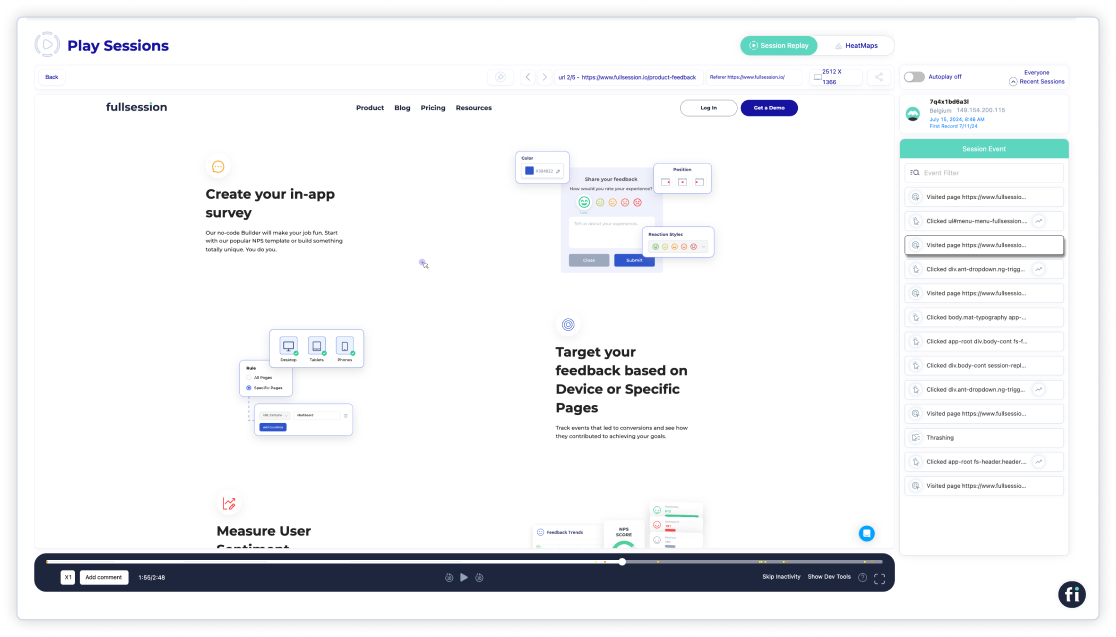
Session recordings and replays will show you exactly what users do on your site. Watching real user interactions will help you see how user-friendly your site is.
With this feature, you can:
- View customer’s location, IP address, date, and time of visit
- Get information about the device and screen resolution
- See the URL the customer visited
- See which site referred the customer to your store
- Get a detailed list of events during the session
- Turn autoplay on or off
- Speed up the session recording up to 8 times
- Stop or pause the recording
- Skip inactivity
- Pin important sessions to evaluate later
- Share the recording with your team members
- Add comments
Are customers struggling with navigation? Are they clicking on certain products more than others? Are they unable to perform specific actions?
This user experience analysis will help you improve your online store’s design, content, layout or functionality, directly contributing to improved sales and revenue growth.
Observe user behavior through interactive heatmaps
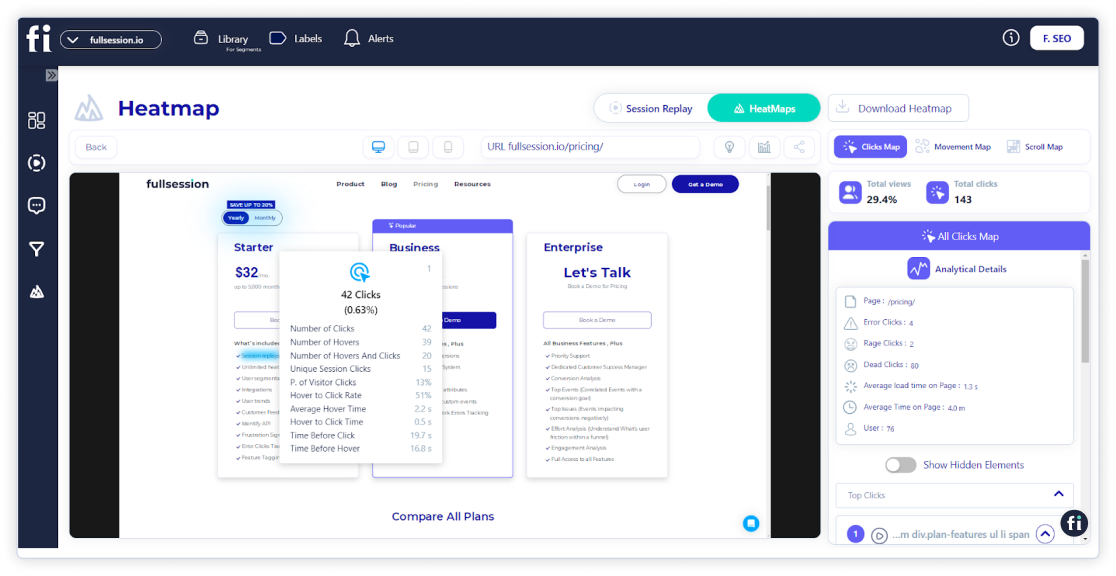
Three types of interactive heatmaps will show you user behavior, how they move, where they click most or how far they scroll. The data from FullSession will highlight the hotspots and coldspots of your pages.
With FullSession’s mouse, scroll and click maps, you can:
- Select the type of heatmap you want to analyze
- See rage, error, or dead clicks
- Get click data for each page element
- See the user’s device
- See the URL the customer visited
- Check the average load time on the page
- Check the average time the user spent on the page
- Download the heatmap
By looking at click patterns, you can optimize product images, add-to-cart button placement and key product info visibility to increase conversions.
Scroll maps show how far shoppers browse product catalogs to help you decide on product listing layouts and where to place promotions.
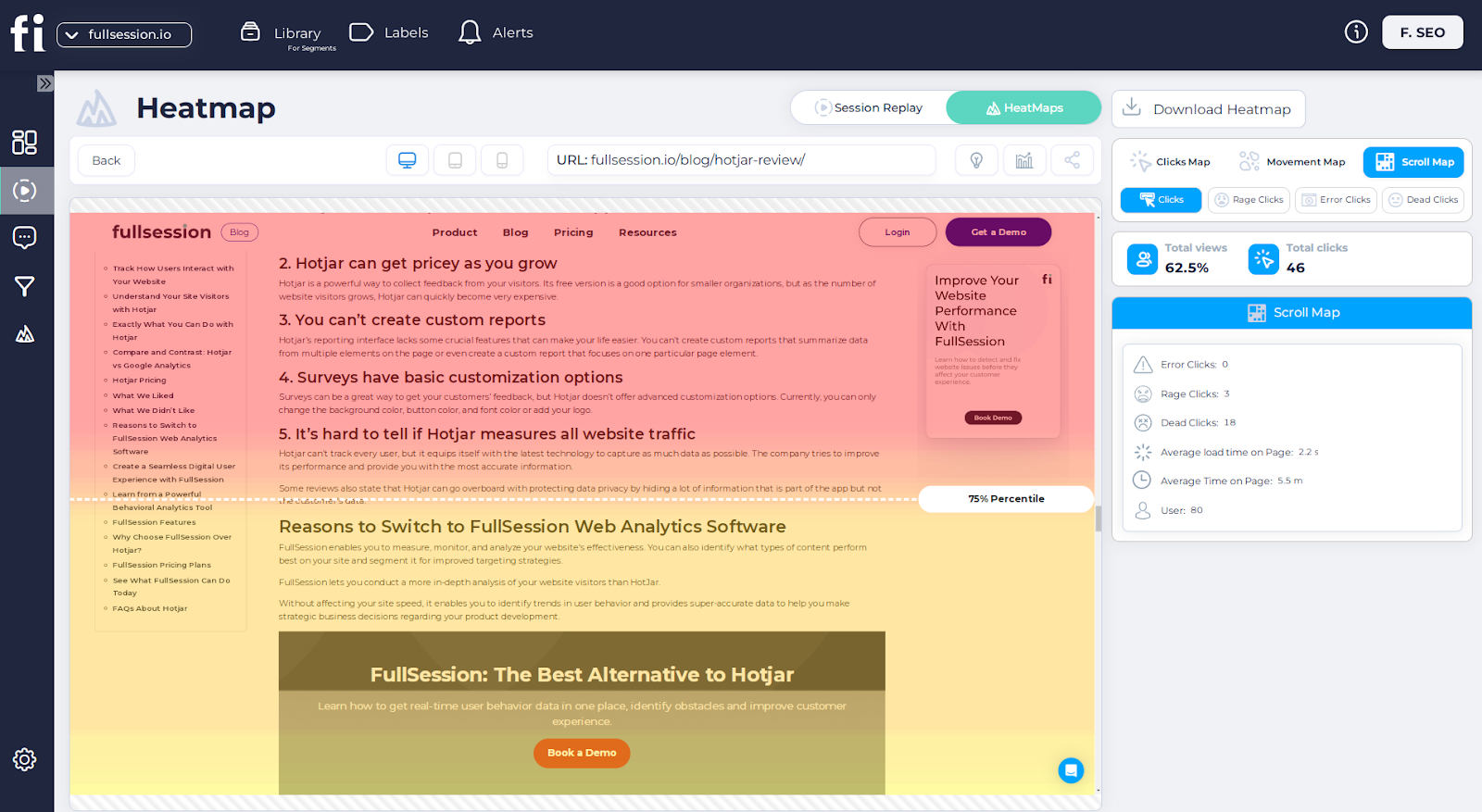
Rage clicks on size selectors or color options can help you improve product variation displays.
For checkout pages, heatmaps show you where the friction is so you can streamline the process. Analyzing device-specific interactions helps you tailor the mobile experience.
These insights will help you create more intuitive product pages and smoother checkout flows, driving more sales and less cart abandonment.
Improve Your Website UX and UI
Capture all user interactions, spot trends and patterns and drive improvements without compromising your website performance.
Track website errors to fix technical issues
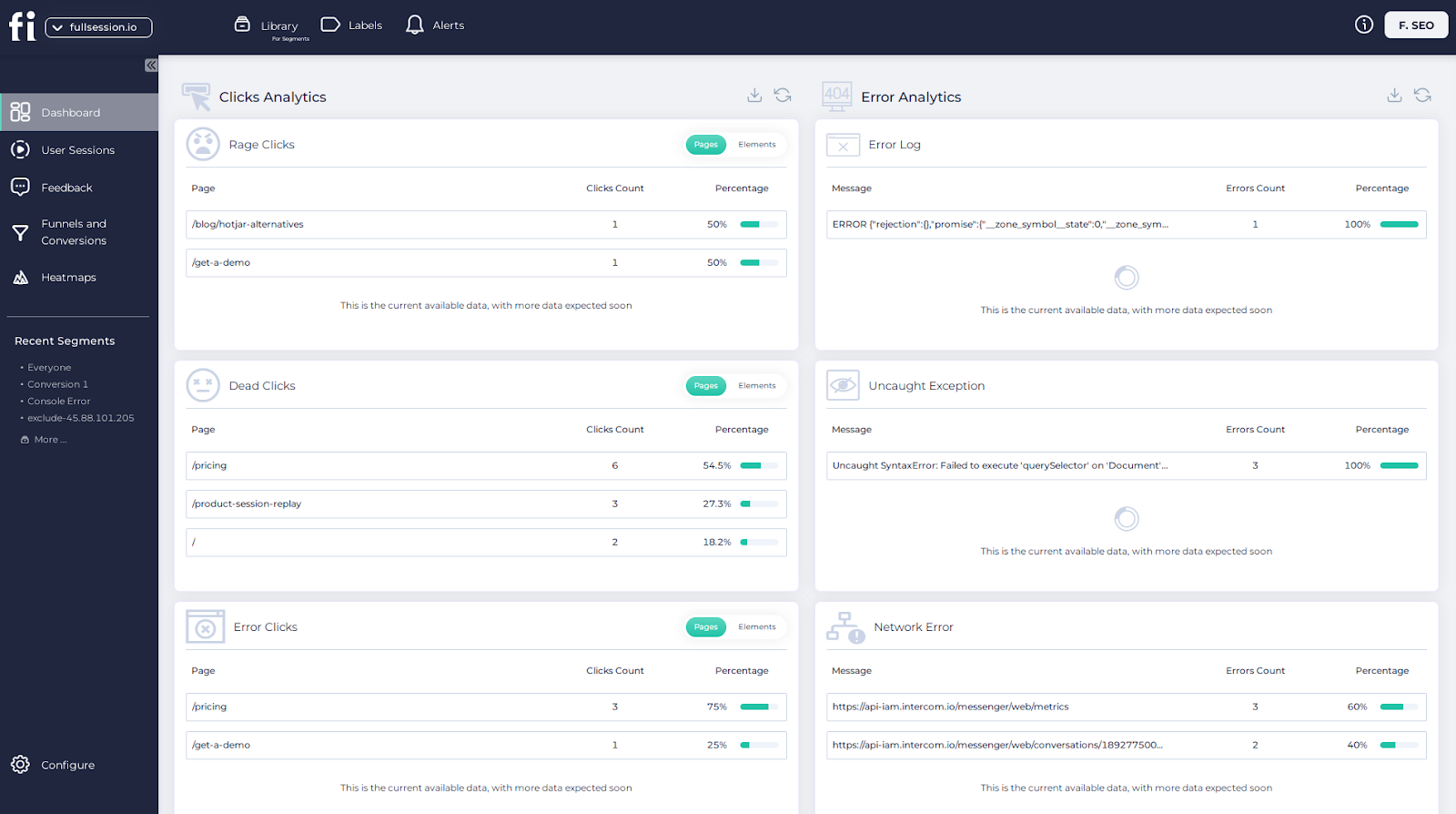
Technical issues can be a major conversion blocker. FullSession helps you track, spot and eliminate site errors that are frustrating users, like broken links or slow loading pages, improving the reliability of your online shop.
You can track:
- Error clicks
- Network errors
- Console errors
- Error logs
- Uncaught exceptions
- Error trends and segmentation
FullSession’s error and event tracking tools help you find and fix problems that would otherwise result in lost sales and unhappy customers.
Broken links, for example, can stop customers from getting to the product or information they want, leading to missed sales opportunities. Slow-loading pages can also be a major conversion killer, as customers will likely abandon their carts if the site takes too long to load.
FullSession’s error logs and uncaught exceptions tracking gives technical teams detailed information about the problem and where it’s coming from so they can fix it faster.
The segmentation and trend analysis features give you more insight into how errors impact different customer groups over time so you can prioritize the most critical issues.
Get direct user feedback for immediate changes
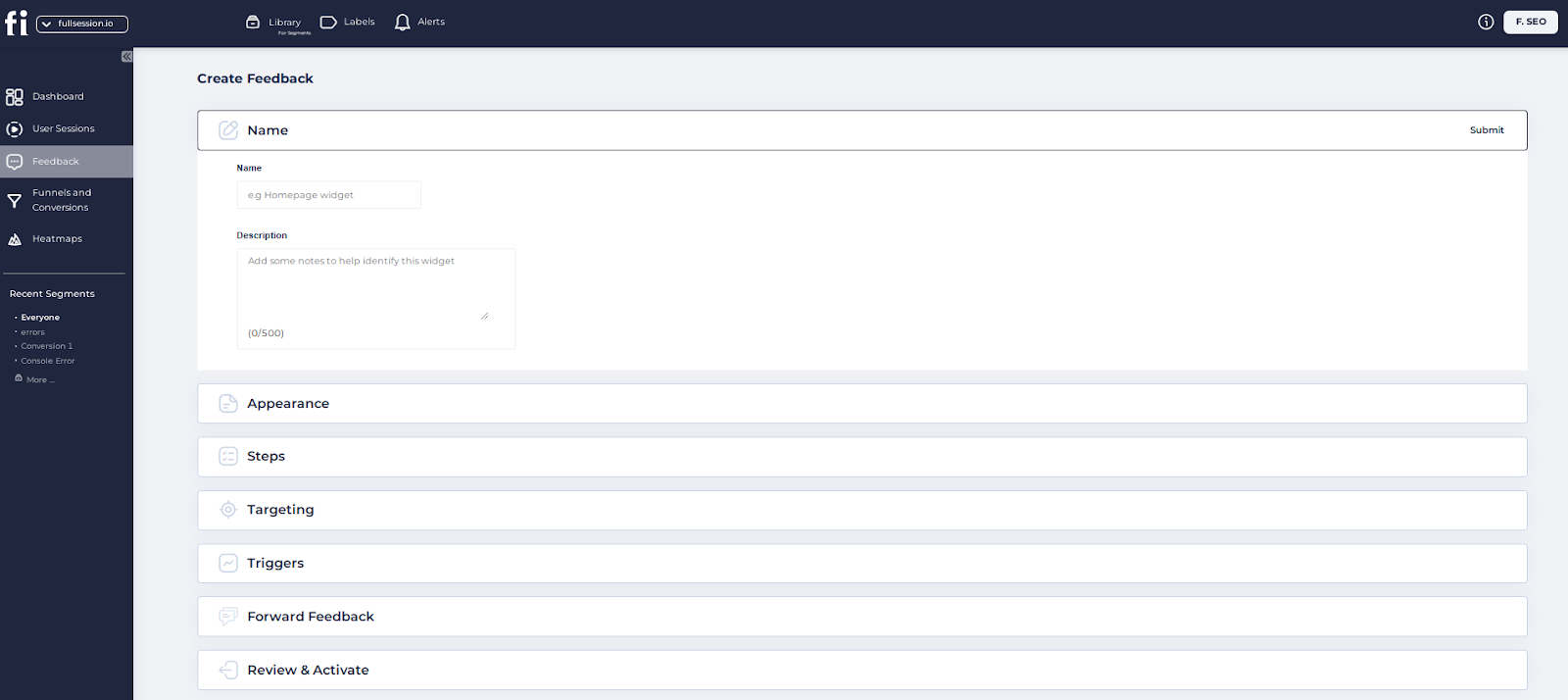
FullSession also provides customer feedback tools and reports to help you understand user sentiments and preferences.
You can quickly create branded CSAT, NPS or open-ended website feedback forms, view customer comments and evaluate your average score. Each feedback is connected to a session recording for additional context about the issue the user experienced while browsing your online shop.
This feature lets you directly communicate with your customers and collect quantitative and qualitative data. It helps you measure overall customer satisfaction with your eCommerce store, find your promoters, and identify improvement areas.
By reviewing session recordings alongside feedback, your eCommerce team can quickly spot and fix pain points that are stopping conversions, such as unclear shipping info, confusing size charts or complicated payment steps.
This agility allows you to adapt quickly to changing market dynamics, implement data-driven improvements, and promote a customer-centric culture that sets you apart from competitors.
Monitoring feedback trends and scores helps you stay attuned to shifting customer preferences and expectations.
With direct feedback, you can make targeted changes and get more happy customers, boosting sales.
Why Choose FullSession For Your Ecommerce Store
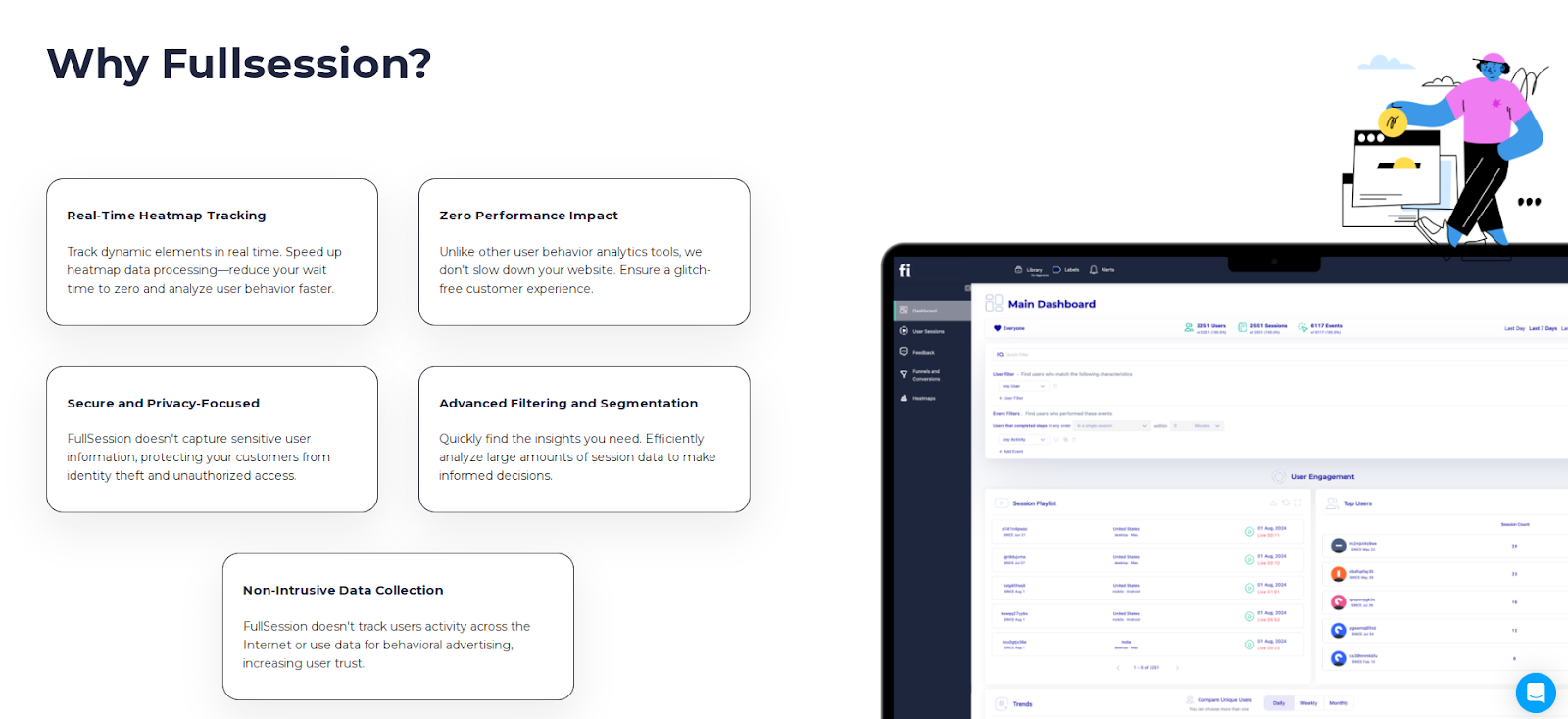
Having exact insights into user actions on your site is key. FullSession lets you track dynamic elements in real time and see how visitors interact with your store.
Heat maps can slow down a site, but FullSession speeds up the process without affecting the site’s performance. You can get heatmap data without the lag to make your customers happy and engaged.
Privacy matters. With FullSession, sensitive data is stripped out, so your customer’s information is safe. It fully complies with GDPR, CCPA, and PCI standards. You can relax knowing your store is secure while getting the insights you need.
Managing big data can be overwhelming. FullSession makes it easy to handle large datasets. You can spot trends and patterns quickly and make informed decisions faster.
Your data should be yours. FullSession limits user behavior tracking to your site, so you can’t misuse the data. You can de-stress knowing you’re using the information correctly.
Getting your team to work together is critical to success. FullSession makes cross-team collaboration easy by bringing everyone onto one platform. It keeps everyone on the same page and working productively, providing customers with a seamless experience.
FullSession integrates with your entire tech stack. It connects with open APIs, modern webhooks, and Zapier and provides native integrations. It works best with Shopify, WordPress, Wix, and BigCommerce.
Visualize, Analyze, and Optimize with FullSession
See how to transform user data into actionable insights for peak website performance.
25 Additional Ecommerce Conversion Optimization Strategies
Improving your ecommerce store can feel like a big job, but making small changes can lead to significant results. Here are the key strategies to get you more sales and happy customers.
Optimize Product Pages
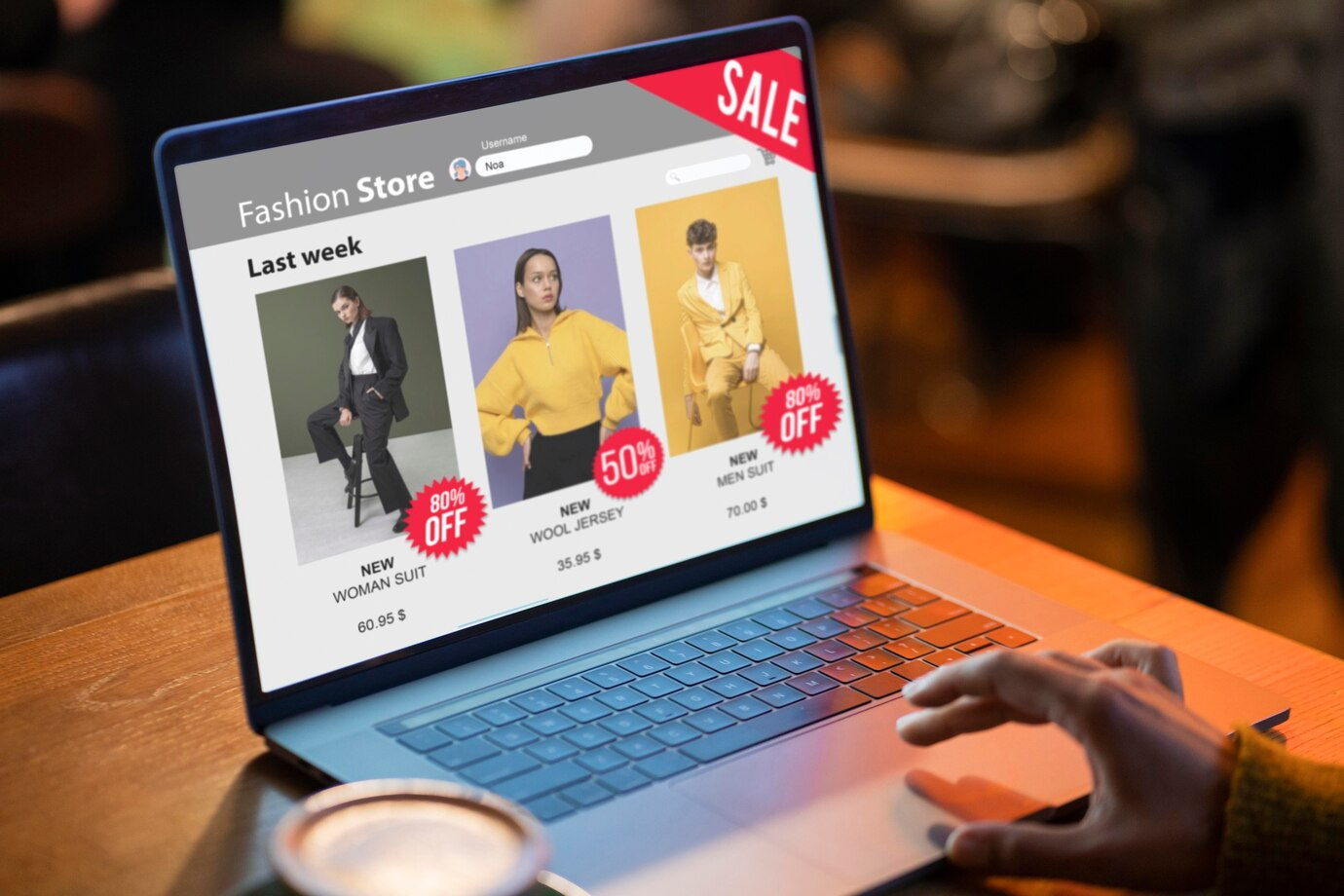
Boosting conversions on your product pages involves several elements. By moving product images, improving descriptions, placing customer reviews strategically and optimizing pricing and availability info, you can make the shopping experience better.
Improve product image placement
Your product images are what grab the shopper’s attention. Make sure the best photos are front and center. Use high-quality, zoomable images to show details and consider a 360-degree view.
A clean layout helps to focus attention on the product. You can use a carousel to allow easy browsing of multiple images. Good image placement reduces bounce rates and increases time on the page.
It improves conversion rates and builds trust with the customer.
Improve product descriptions
Good product descriptions answer customer’s questions instantly. Use clear and engaging language to highlight product features and benefits. Keep paragraphs short and use bullet points to make the important bits easy to scan.
Address customers’ common questions upfront, such as dimensions or material used. Consider adding a section for related products to drive upsells.
By providing detailed but simple descriptions, you can make customers feel more confident in their buying decisions and increase conversions.
Place customer reviews strategically
Customer reviews build trust and influence buying decisions. Place them on the top of the page so interested buyers can see them. Highlight reviews that answer common questions or praise key product features.
Having a star rating system gives instant feedback on product satisfaction. It encourages potential customers to dig deeper into product information and feel more confident about purchasing.
Display pricing and availability info
Clear pricing is key to conversions. Display the price prominently and make it easy to read and understand. Use bold or bigger fonts to make the price stand out.
If you have a discount, show the original and discounted price so the savings are clear. Mention any limited-time offers or stock to create a sense of scarcity.
Update availability in real time so you don’t disappoint your customers.
Improve The Shopping Experience

Image source: Freepik
Ecommerce sales is all about the customer journey from start to finish. Key areas include navigating your store easily, suggesting unique products, simplifying checkout and offering multiple payment options. Implement these features, and you’ll provide a better shopping experience, increasing sales.
Improve store navigation
Make sure your customers can find what they’re looking for. A clear and simple navigation menu allows shoppers to access different product categories quickly. Use descriptive labels and consistent placement so they can navigate your site without getting lost.
Consider a search bar that’s visible and can handle misspellings or synonyms. Customers can still find what they need if they type something slightly wrong. Breadcrumbs are also useful so shoppers can see where they are on your site and can backtrack quickly.
Encourage browsing by having curated collections or seasonal picks on your homepage. This will pique interest and get customers to dig deeper and buy more.
Personalize product recommendations
Personalization can make a big impact on customer satisfaction. Suggesting products based on browsing or purchase history makes shopping more relevant and fun. Use algorithms to evaluate what customers have liked or bought before to tailor suggestions.
Email recommendations are another powerful tool. After a visit, send personalized follow-ups with related products or special offers. This keeps you at the top of the customers’ minds and may get them to return to your store.
Show user ratings on product pages. This gives social proof and can influence buying decisions positively. When customers see what others love, they might be more inclined to try similar products.
Simplify checkout
A smooth checkout is key to preventing cart abandonment. One-page checkouts eliminate unnecessary steps and allow customers to quickly enter their details and confirm purchases. Keep forms short and only ask for basic information.
Consider adding a progress bar to show customers how close they are to finishing the process. This reduces frustration by making the process feel manageable. Offer guest checkout so new customers don’t have to create an account to buy something.
Use clear calls to action with bold, contrasting buttons. These adjustments guide the customer through each step without confusion and get them to buy your products.
Optimize payment options based on user preferences
Offer multiple payment options to align with the target audience and increase conversions. Suggest popular options like credit cards, PayPal and digital wallets like Apple Pay or Google Pay. Customers like the convenience of using their desired payment method.
Be transparent about extra fees upfront so customers aren’t surprised during payment. This builds trust and makes the transaction smoother.
Security is a big deal for online shoppers. Show trust badges and secure payment seals prominently so customers know their data is safe. By making payment options easy to use, you’ll get them to shop with you more.
Build Trust And Credibility
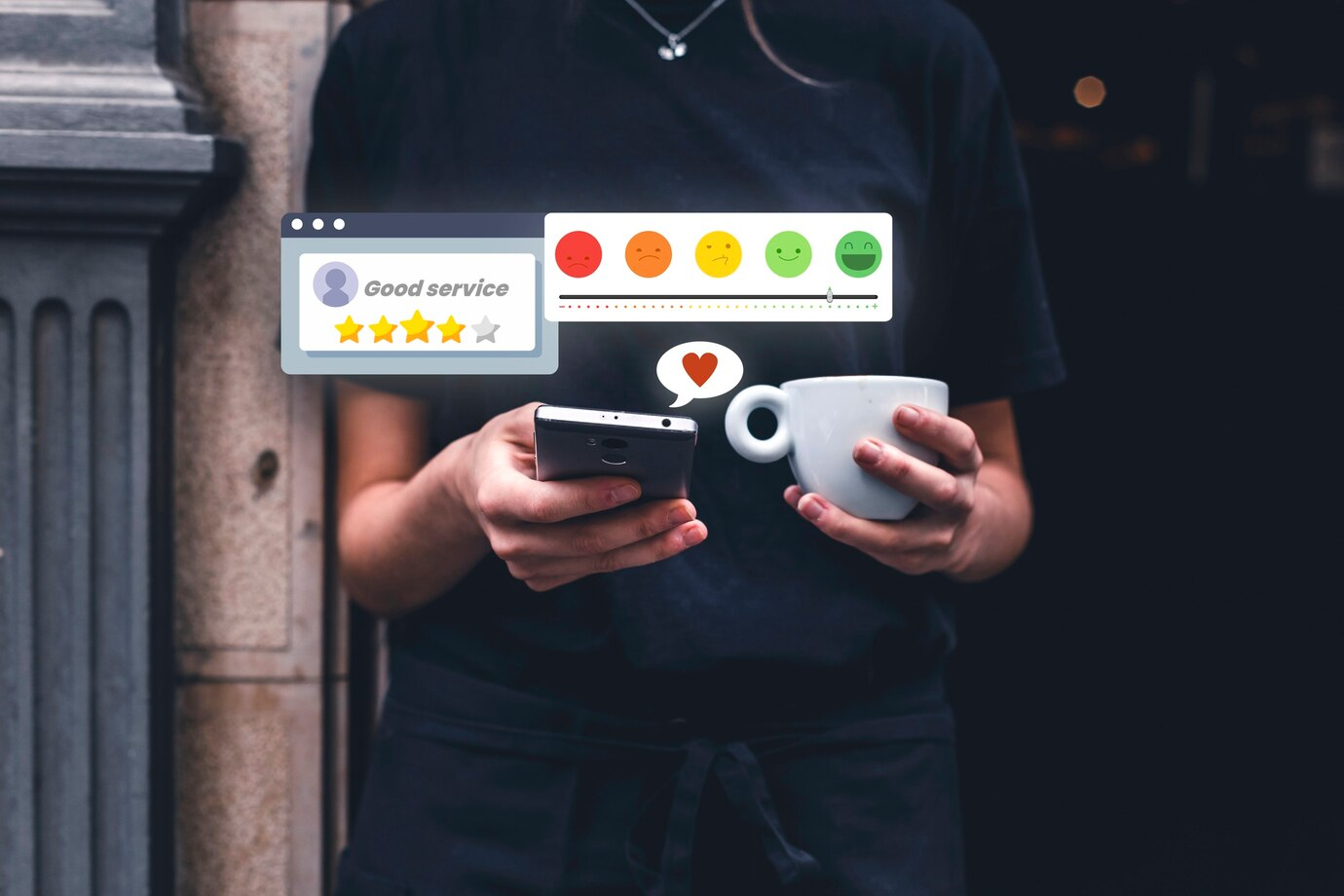
To get customers to feel comfortable shopping on your site, you must focus on the elements that build trust. These include wisely placing security badges, optimizing policies with customer input, making shipping details easy to find and using testimonials for social proof.
Place security badges wisely
Think about where your customers need reassurance the most. Security badges are often best placed during the checkout process because this is where customers are most worried about their data. By positioning these badges near credit card forms or on the cart page, you’re reminding customers that their data is safe.
Choose recognizable security badges from well-known brands. Many online shoppers trust options like Norton, McAfee or VeriSign. Ensure these badges are current and do not dominate other elements on the page. The key is to make customers feel their information is safe without distracting them from buying.
Clarify policies based on customer feedback
Your e-commerce policies can make or break a sale. You must continually gather customer feedback to know what they need clarification on. Websites with clear policies on returns, exchanges and refunds have more credibility.
Listen to customer concerns. Create a simple FAQ section and get your support team to help identify common questions. Use simple language and no technical jargon. Updates based on customer feedback show you value their input and are working to improve their shopping experience.
Boost Customer Satisfaction and Experience
Learn how our customer feedback tools help you identify recurring issues and user needs.
Improve shipping information visibility
Clear and visible shipping information is key. Many customers abandon their carts when they can’t find shipping details or see unexpected costs at checkout. Show the basic information like delivery times, shipping costs and available shipping methods early in the shopping process.
This could be in a dedicated section on your product pages or as part of the cart summary. A shipping calculator helps, too. Customers who know what to expect upfront will feel more confident buying and less likely to hesitate or abandon their cart.
Display testimonials
Showing real customer experiences through testimonials can increase your credibility. Potential buyers look to others’ opinions to estimate product quality and seller reliability. Display these testimonials on your homepage or product pages.
Include the customer’s name, photo and specific details about their purchase and experience. Video testimonials can be powerful, too. Get your happy customers to leave detailed reviews and share them on your site.
Real praise from real customers can create a sense of trust and reliability for new customers considering buying.
Use Psychology in Ecommerce Conversion Rate Optimization
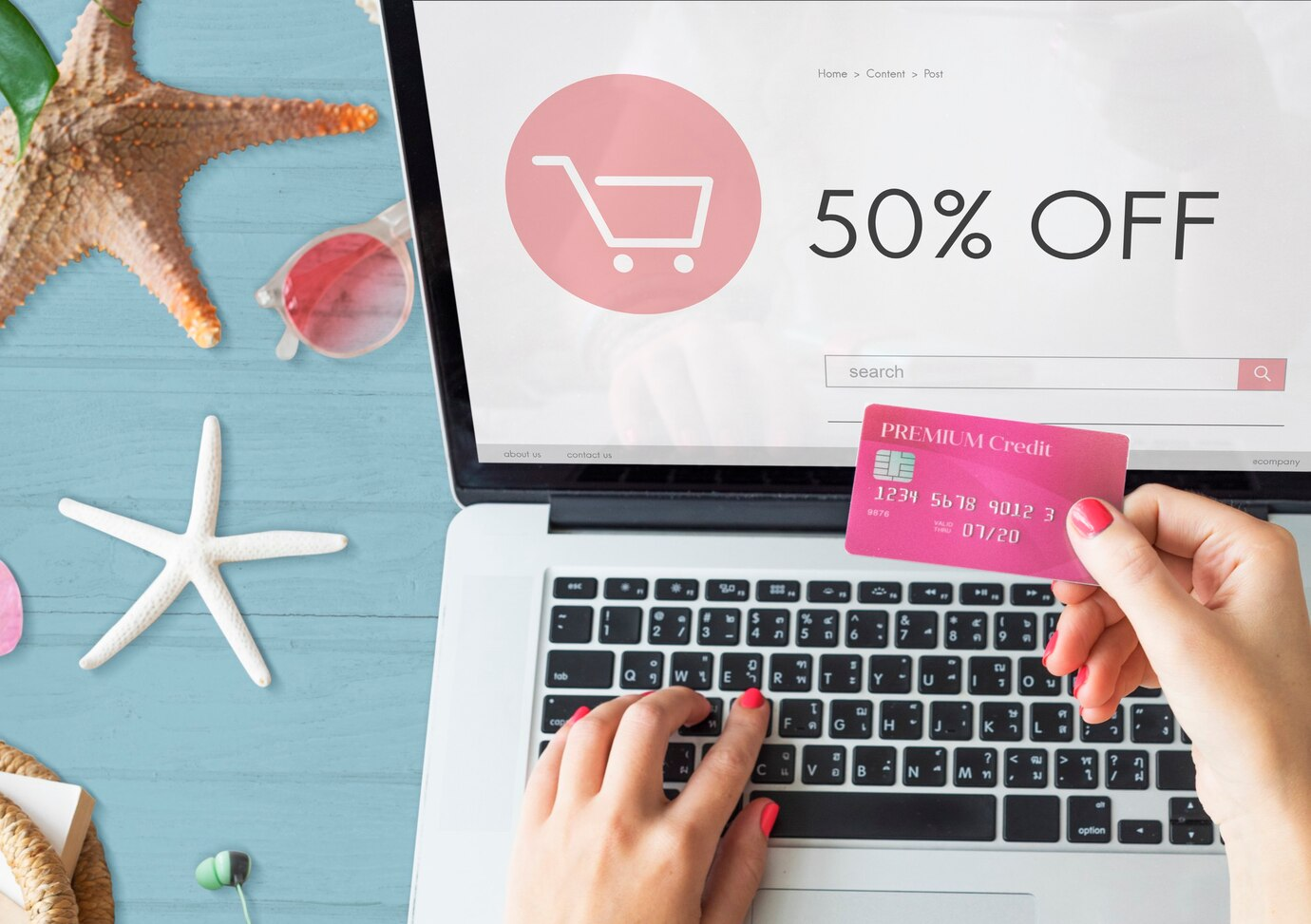
In e-commerce, understanding customer behavior can increase conversion rates. Using psychological principles can make your site more appealing and help you get more sales. Key tactics include using urgency and scarcity, strategically placing social proof, refining price anchoring, and testing incentives and rewards.
Create urgency and add scarcity
Creating a sense of urgency or scarcity can get customers to act fast. When visitors see a special offer is ending soon, they feel they need to buy it before it’s too late. Limited-time offers, or low stock warnings on products make customers buy faster.
Try phrases like “Only three left in stock!” or countdown timers on sales pages. These tactics get potential buyers to act quickly. Urgency works well in email marketing, too. Emails with subject lines like “Last chance to save!” can get more clicks and conversions.
Optimize social proof placement
Social proof builds trust by showing potential customers that others have bought and loved your products. Place reviews and testimonials near decision points on your site to build trust. Show customer ratings and reviews on product pages so customers can immediately see them.
Customer testimonials work best when they’re real and relevant. Star ratings on products or endorsements from well-known people can also influence undecided visitors. Show how many customers bought recently so new customers feel they’re not the only ones making that choice.
Refine price anchoring strategies
Price anchoring is a technique where you show a higher price first to make the current offer look better. Show the original price with a line next to the sale price. This visual cue is a deal indicator and makes customers feel they’re getting more value.
Put these near the product price so they’re visible. Bundling products can also increase value perception. If the bundle is cheaper than buying items separately, it makes customers feel they’re saving. This can lead to more conversions.
Test incentives and rewards
Incentives like discounts or free shipping encourage customers to complete the purchase. Testing different offers helps you find what works best for your audience. Some customers may respond to percentage discounts, others to dollar amounts or free shipping.
Create a rewards system where points accumulate with purchases and can be redeemed for discounts. This gets repeat business and customer loyalty. A/B test different incentives to see what works best and get more sales. Make sure incentives are clear and easy to get to maximize their impact.
Optimize For Customer Retention
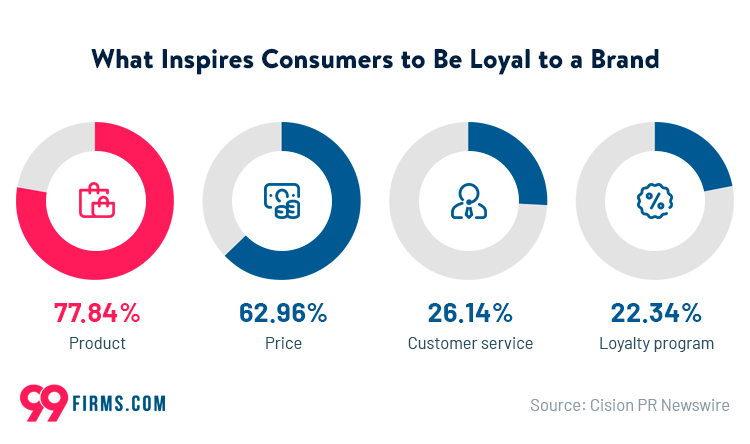
Image source: 99Firms
Keeping customers coming back is key to e-commerce success. You can attract more customers by creating loyalty programs, post-purchase follow-ups, personalized email campaigns and better customer support.
Design loyalty programs
A good loyalty program can get repeat business and brand loyalty. When designing your program, consider offering points for each purchase that customers can redeem for discounts or freebies. You might also try tiered rewards to get customers to reach different spending levels.
Another way is to create exclusive offers or early access to new products for loyalty members. This makes your customers feel special and valued. Ensure your program is easy to understand and use, so signing up and earning rewards includes minimal effort.
Improve post purchase follow-ups
Post-purchase follow-ups can build customer relationships and get repeat sales. Send a thank you email shortly after purchase, show gratitude and suggest related products. Include a simple satisfaction survey to show customers you care about their experience and feedback.
You might also offer exclusive discounts on future purchases as a follow-up offer. Share relevant content related to their purchase, like how-to guides or product care tips, to keep them engaged.
Personalize email campaigns
Personalized email campaigns get more customer engagement. Start by segmenting your audience based on purchase history, interests or browsing behavior. Tailor your messages to each segment, offering personalized product recommendations or exclusive discounts that match their interests.
Use customers’ names in email subject lines and messages to make it feel more personal. Test timing and send emails when your customers are most likely to engage based on past behavior. These actions can turn a standard email into something memorable and effective.
Improve customer support
Ensure your support team is available through multiple channels, such as live chat, email, and phone. Fast response times and friendly, knowledgeable staff can make a big difference in how customers perceive your company.
Train your support staff to offer personalized solutions, not scripted responses. Empower them to resolve issues and leave customers happy.
A feedback loop allows you to continually improve your support based on customer feedback. Making it easy for customers to get in touch builds trust and loyalty.
Final Words About Ecommerce Conversion Optimization
Several strategies will get you more conversions in your quest for more e-commerce sales. From user experience to product descriptions, each one counts. The best UX testing tools, like FullSession, make it easy to track user behavior so you can see what works for your store.
Think of conversion rate optimization (CRO) as an ongoing process. The digital world is always changing, and so should you. With the best analytics software for ecommerce, you can stay ahead and get better results.
FullSession, one of the best ecommerce analytics tools, has a complete feature set to help you monitor and adjust your CRO strategies. With real-time analytics and user feedback, you’ll be making informed decisions.
Get started today and see the results. Use FullSession to guide your efforts and adjust based on accurate data. Your path to better sales conversion starts now!
Get a 360° View of User Behavior
Discover why top brands trust our user behavior analytics software.
FAQs About Ecommerce Conversion Rate Optimization
How do you calculate ecommerce conversion rate?
Use this formula:
Conversion Rate = Conversions ÷ Visitors (or Sessions) x 100
What is a good ecommerce conversion rate?
It depends on category, device mix, traffic quality, pricing, and audience intent. The current article says many brands aim for 2% to 3%, while its FAQ says 1% to 4%, which is itself a consistency issue. A better editorial approach is to benchmark against your own history and similar stores, then improve by segment.
What should I optimize first in ecommerce CRO?
Start with the highest-value friction point. For many stores, that means checkout and payment friction, then product-page clarity, then trust and policy visibility.
Should I optimize for conversion rate or revenue per visitor?
If you can choose only one north-star KPI, revenue per visitor is often more useful because it captures both conversion volume and order value. Still track conversion rate and AOV alongside it.
What causes cart abandonment most often?
Common causes include surprise costs, forced account creation, confusing mobile checkout, too many form fields, slow pages, and payment failures.
Do I need A/B testing to improve ecommerce conversions?
No. A/B testing helps, but many teams can make meaningful gains by identifying obvious friction, improving clarity, and validating changes with segmented before-and-after measurement and qualitative evidence.

Mohamed oversees operations and finance at FullSession and has contributed to the company’s UX analytics knowledge base.