.svg)
.svg)

Web Analytics Tools Comparison: 8 Best Options in 2026

Web analytics tools collect, measure, and interpret website data, from traffic sources and key metrics to actual user sessions, user actions, and conversion funnels.
Most tools show you what happened. The best ones show you why with actionable insights. That difference is what moves the needle on user engagement, digital performance, and conversion rate.
This web analytics tools comparison evaluates eight popular options across features, pricing, and use case fit so you can find the right one for your needs.
Key Takeaways
- FullSession is the go-to for teams that need to understand user behavior through actual session data, heatmaps, and AI-driven prioritization without enterprise pricing or engineering overhead.
- Google Analytics 4 covers traffic acquisition and campaign attribution better than any other free tool, making it a non-negotiable foundation for any marketing team.
- Adobe Analytics suits large enterprises that have the budget, the team, and an existing Adobe stack to get value from its depth.
- Hotjar works for teams focused on page-level heatmaps and user feedback, though its future is tied to the Contentsquare migration.
- Fullstory gives enterprise teams complete autocapture without manual tagging, but pricing scales quickly at higher session volumes.
- Mixpanel is built for product teams that need cohort analysis and long-term retention data across web and mobile.
- Matomo is the right call when data sovereignty and GDPR compliance are non-negotiable requirements.
- Heap lets product teams define and query events retroactively, which removes the instrumentation bottleneck, though session replay is a paid add-on.
Of all eight options, FullSession is the only platform that combines session replay, heatmaps, funnel analysis, error tracking, and AI-powered prioritization in one place, with a Free plan that includes 1,000 sessions/month.
It is the strongest choice for teams serious about improving conversion rates and user experience without the complexity or cost of enterprise tools.
Book a demo to see how FullSession turns behavioral data into prioritized fixes for your site.
What Are Web Analytics Tools?
Web analytics software collects and analyzes website data, so your team can gain insights and make better decisions.
- At the basic level, these website analytics tools track sessions, traffic sources, and key metrics.
- At a more advanced level, they enable data analysis across user journeys, customer data, feature usage, and real-time interactions.
The difference that matters most is between quantitative and behavioral analytics. Quantitative data tells you what happened. Behavioral data shows you why.
Knowing 65% of users abandon your checkout is useful. Watching actual user sessions to see a form validation error silently blocking submissions is what drives the fix.
How to Choose a Web Analytics Tool
Before comparing platforms, identify your primary need. Five criteria separate the right tool from the wrong one:
- Use case fit: Are you measuring traffic across marketing channels, tracking product feature usage, or diagnosing behavioral friction in user journeys?
- Technical requirements: Some tools need engineering resources. Others install with a snippet and produce detailed reports immediately for non-technical users.
- Pricing model: Session-based pricing is predictable. Event-based pricing can scale unexpectedly as traffic and user actions grow.
- Privacy and compliance: GDPR, CCPA, and PCI compliance should be built into your analytics platform, especially for teams handling sensitive customer data.
- Integrations: Your tool needs to fit your existing stack so customer data flows freely, including connections to social media analytics tools and CRM platforms.
Get these five right and the shortlist almost builds itself.
Web Analytics Tools Comparison: Quick Overview
Here’s a side-by-side web analytics tools comparison of the eight leading solutions, evaluated across the criteria that matter most.
Let’s continue with the breakdown of each tool to help you understand where it stands and what it does best.
1. FullSession
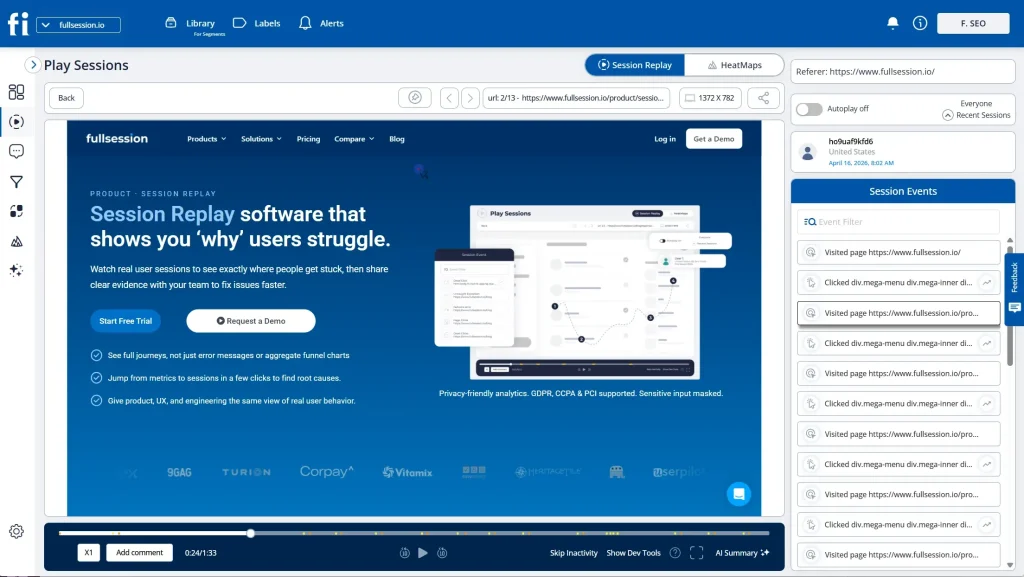
FullSession is a behavioral analytics platform built to reveal not just what users do, but why they do it. Its primary purpose is to help product, marketing, and growth teams at SaaS and eCommerce companies diagnose conversion friction using actual user sessions.
FullSession stands apart from other analytics tools through its combination of behavioral depth, AI-powered prioritization via Lift AI, and transparent session-based pricing.
Advanced analytics are accessible without an enterprise budget or coding knowledge.
Start a free trial with no credit card required.
Best for
SMB and mid-market SaaS and enterprise eCommerce teams that need to analyze user behavior beyond key metrics.
If your team wants to watch real user sessions, visualize user actions on heatmaps, and make data-driven decisions backed by behavioral evidence rather than aggregate website data, FullSession is built for you.
Key features
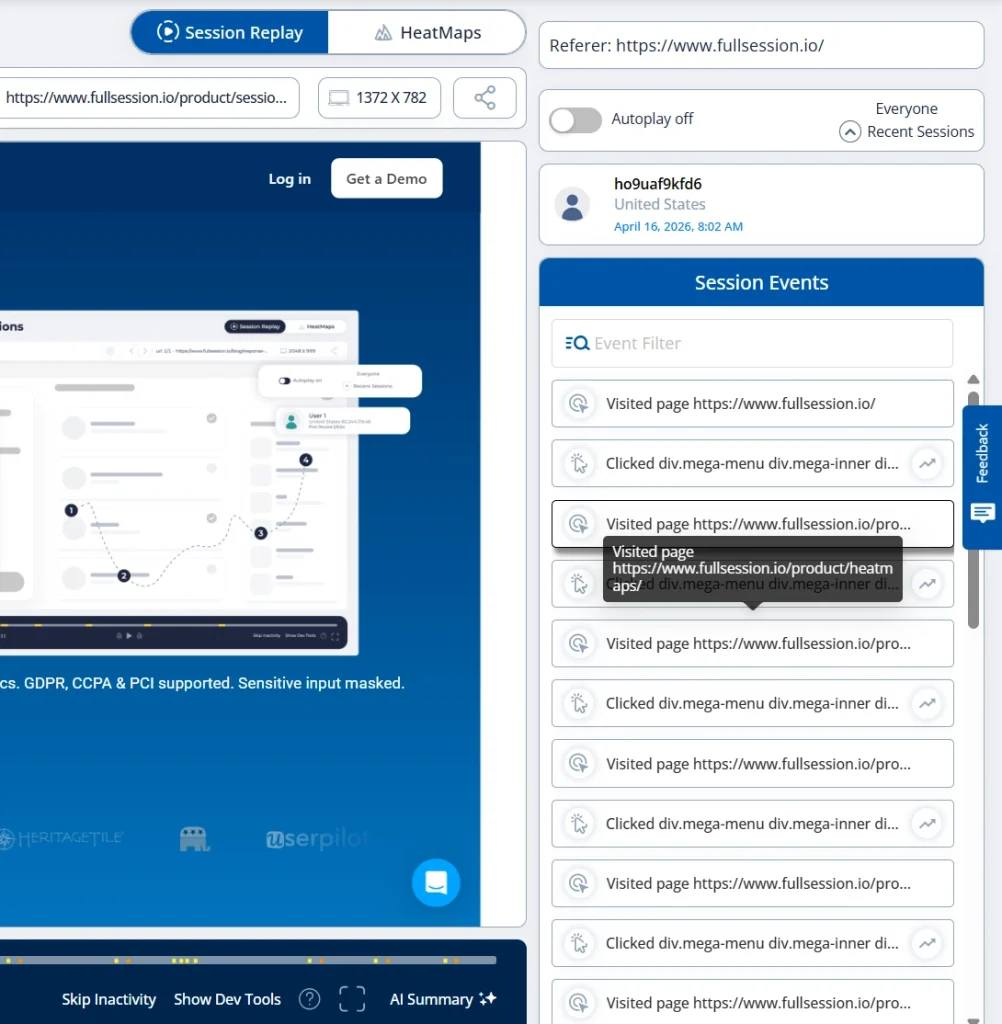
- Session replay: Pixel-perfect reconstruction of actual user sessions, showing every click, scroll, and hesitation in real time.
- Interactive heatmaps: Click, scroll, and mouse movement maps that show exactly where users engage and where they stop.
- Funnel and conversion analysis: Tracks user journeys step by step to identify where user engagement drops and revenue leaks.
- Error tracking: Detects JavaScript errors and rage clicks, linked directly to the user sessions where they occurred.
- Lift AI: An AI agent that scans behavioral data and delivers a ranked list of friction points with predicted revenue impact, so your team can solve and evaluate post-fix results.
- In-app feedback: Contextual feedback widgets linked to session replays so every user comment has behavioral context.
- Privacy by default: GDPR, CCPA, and PCI compliance with sensitive inputs masked automatically.
Pricing
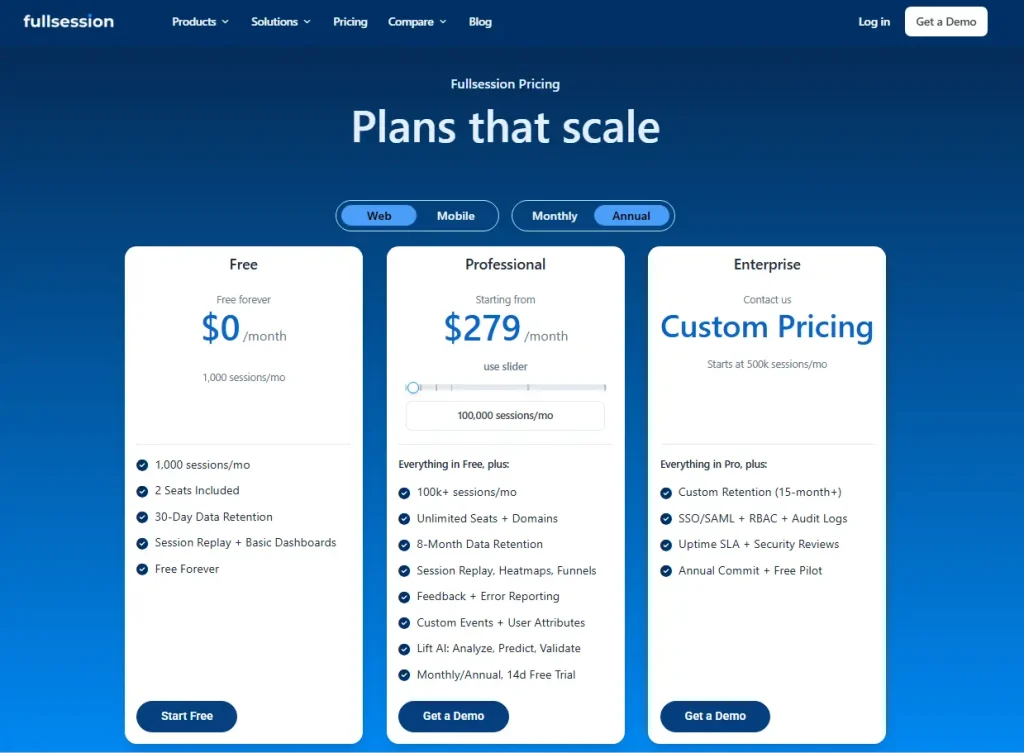
Free plan: $0/month with 1,000 sessions/month, 2 seats included, 30-day data retention, session replay, and basic dashboards.
Professional: Starts at $279/month with 100,000 sessions/month, unlimited seats and domains, 8-month data retention, session replay, heatmaps, funnels, feedback, error reporting, custom events, user attributes, and Lift AI.
Enterprise: Custom pricing for teams starting at 500k sessions/month, with custom retention of 15+ months, SSO/SAML, RBAC, audit logs, uptime SLA, security reviews, annual commitment, and a free pilot.
All annual plans help you save 20%.
Book a personalized demo to see session replay, heatmaps, and Lift AI working on your website.
2. Google Analytics 4
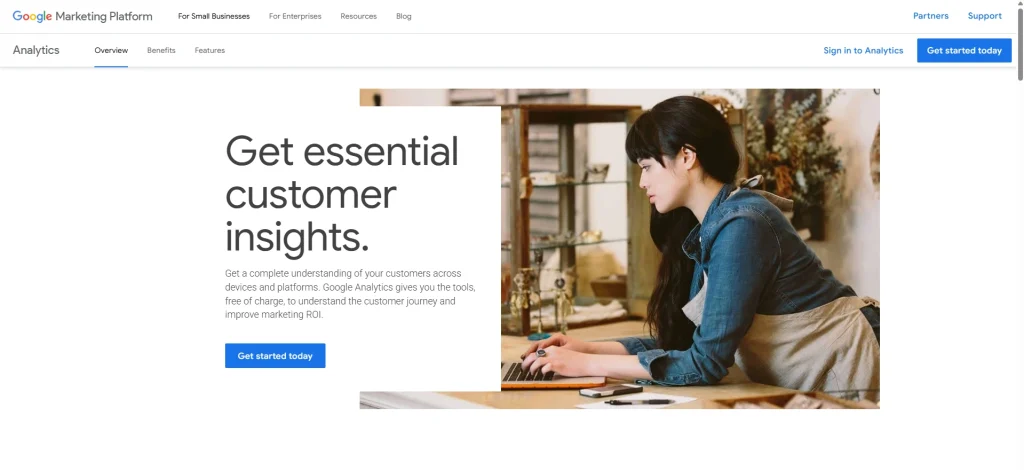
Google Analytics 4 is a traffic and acquisition analytics platform. Its primary purpose is to help marketing teams understand where website traffic originates, how users move across marketing channels, and how digital marketing strategies drive conversions.
GA4 stands apart through its event-based data model, deep integration with the Google product suite, and machine learning features that automatically show valuable insights from Google Analytics data, including search engine optimization performance via Search Console.
This popular web analytics tool is excellent for traffic and attribution, but lacks session replay, heatmaps, and behavioral diagnostics. It can’t show you what users experienced during their session; it can only show that they left. Pair it with FullSession for the behavioral layer that explains why.
- Learn more about Google Analytics vs Amplitude.
- Read more about Hotjar vs Google Analytics.
Best for
Any business running paid or organic marketing campaigns that needs to track user behavior across traffic sources, analyze data across channels, including social media, and connect website performance to marketing spend.
Key features
- Event-based tracking: Every user interaction is a configurable event enabling flexible data analysis across web and mobile.
- Predictive analytics: Machine learning algorithms forecast purchase probability and churn using historical customer data.
- Real-time data analysis: Live, customizable dashboards show active users, traffic spikes, and campaign activity as it happens.
- Search engine optimization insights: Integration with Search Console surfaces keyword research data and organic search performance.
- Cross-platform attribution: Connects user actions across websites and mobile apps to map the full customer journey.
- Data modeling and integrations: BigQuery export enables advanced data modeling, analytics capabilities, and custom reporting beyond the standard interface.
Pricing
GA4 is free for standard use. Google Analytics 360 starts at approximately $50,000/year for enterprise, adding unsampled data, higher limits, and dedicated support.
3. Adobe Analytics
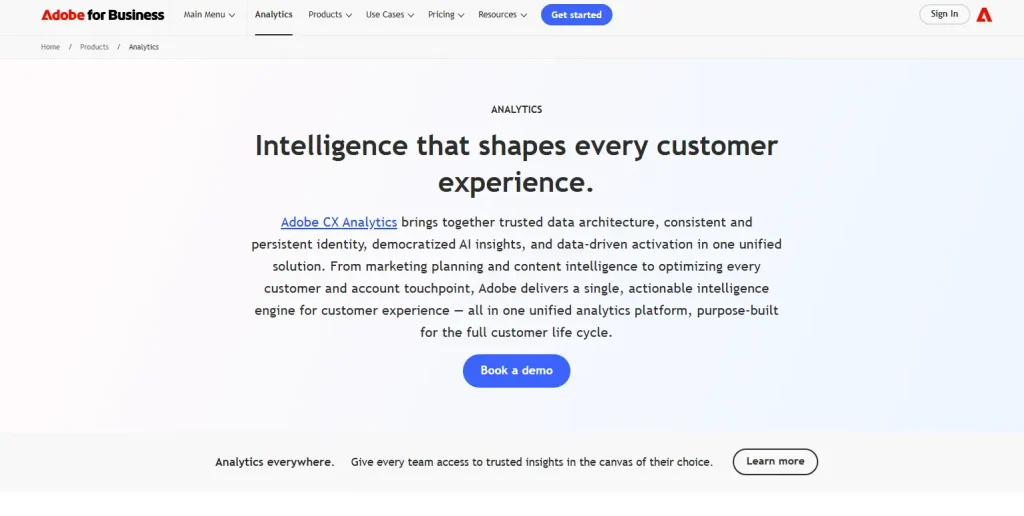
Adobe Analytics is an enterprise marketing analytics platform within the Adobe Experience Cloud. Its primary purpose is to consolidate website data, mobile, voice, and digital channels into a single analytics platform for large organizations with complex multi-channel attribution needs.
What distinguishes it is the depth of its analytics capabilities: advanced segmentation, AI-powered anomaly detection, and tight integration across Adobe Target, AEM, and Adobe Experience Platform.
Adobe Analytics is a powerful tool for enterprise marketing analytics, but the complexity and cost make it impractical for most teams under 200 people.
Best for
Large enterprises with dedicated data scientists, multi-channel marketing operations across digital channels and social media, and existing Adobe Experience Cloud investments that require advanced features beyond any self-serve analytics tool.
Key features
- Analysis Workspace: Drag-and-drop interface for custom reports and ad hoc data analysis without engineering support.
- Advanced segmentation: Build and compare audience segments across all historical customer data to identify patterns in customer behavior.
- Contribution analysis: Machine learning algorithms auto-detect anomalies in key metrics and surface the most likely causes.
- Cross-channel data collection: Captures web, mobile, voice, and IoT data within a single analytics platform.
- Predictive analytics: AI-driven models analyze user behavior to forecast outcomes and support marketing analytics decisions.
- Customizable dashboards: Role-specific views give each team the detailed reports most relevant to their work.
Pricing
Custom pricing which requires a sales engagement. Adobe Analytics is a major financial commitment, making it high-cost for most teams without a dedicated analytics function.
4. Hotjar (Now Part of Contentsquare)
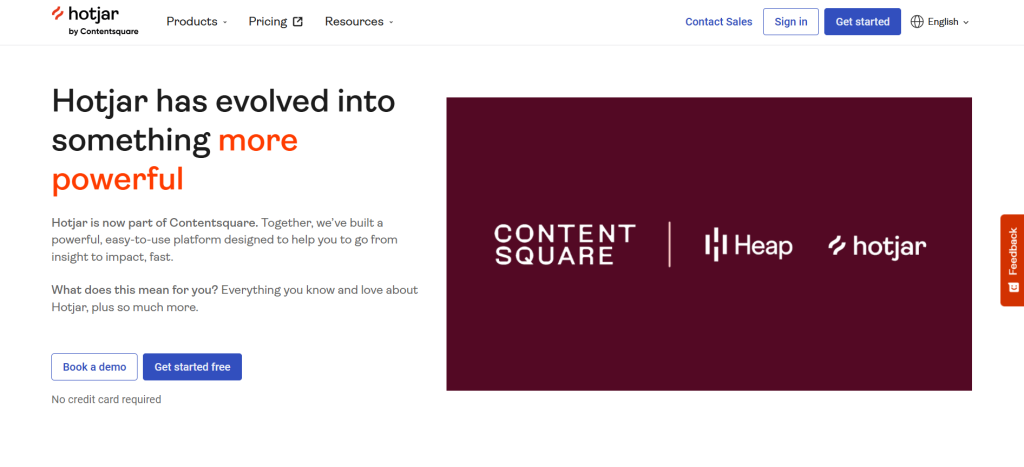
Hotjar is a user behavior and feedback analytics tool known for making page-level heatmaps and session recordings accessible to non-technical teams. Its primary purpose is to help marketing and UX teams gain insights into how visitors interact with individual pages.
What makes it different from other analytics tools is the combination of visual heatmaps and qualitative voice-of-customer tools (surveys and feedback widgets) in a single platform.
The mid-platform migration to Contentsquare creates uncertainty about the roadmap. FullSession offers comparable analytics capabilities, adds Lift AI, and has a standalone product direction that doesn’t depend on a parent platform’s timeline.
- See how FullSession compares to Hotjar.
- Learn more about Hotjar alternatives.
Best for
Marketing teams and UX researchers running conversion rate optimization or redesign projects who need to analyze user behavior at the page level and collect direct user feedback.
Key features
- Heatmaps: Click, scroll, and mouse movement maps that visualize user engagement and attention on any page.
- Session recordings: Replay individual user sessions to observe how visitors navigate and where they drop off.
- On-site surveys: Collect targeted feedback at specific pages or trigger points to understand user intent.
- Feedback widgets: In-page tools that let users flag issues and share user insights directly while browsing.
- Funnels: Visualize conversion paths and identify where users abandon key flows.
Pricing
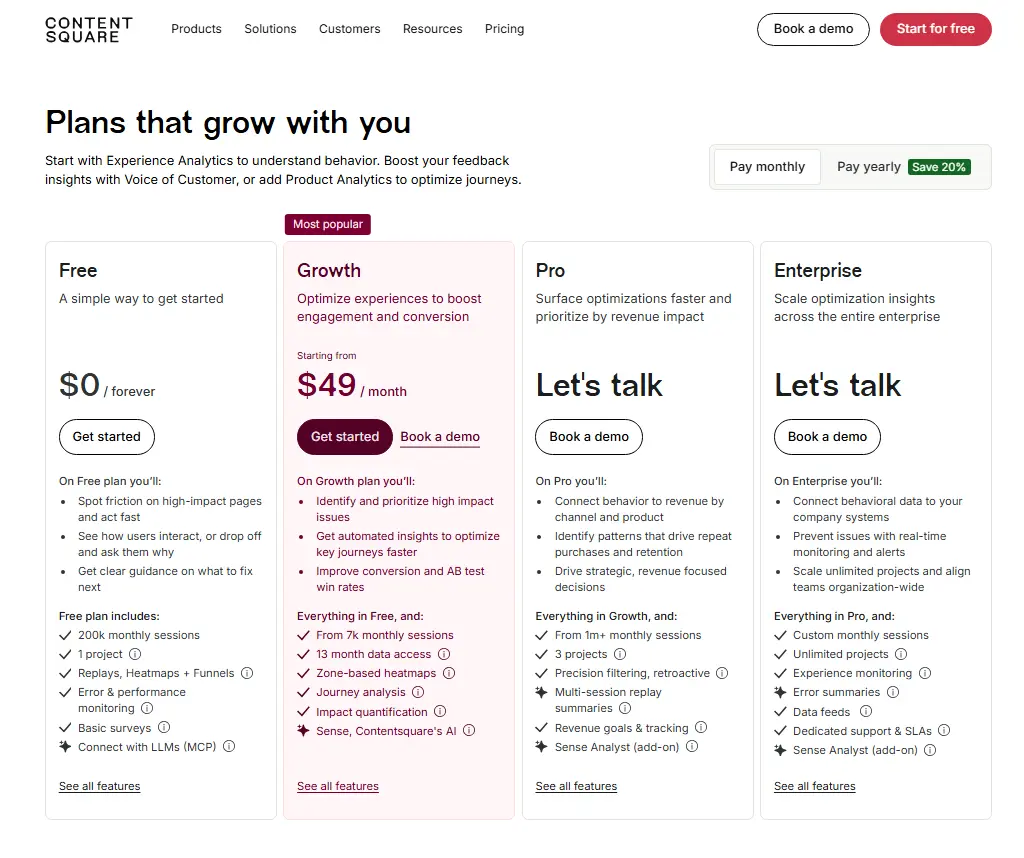
A free plan is available. Paid plans start at $49/month for higher session volumes and advanced filtering.
5. Fullstory
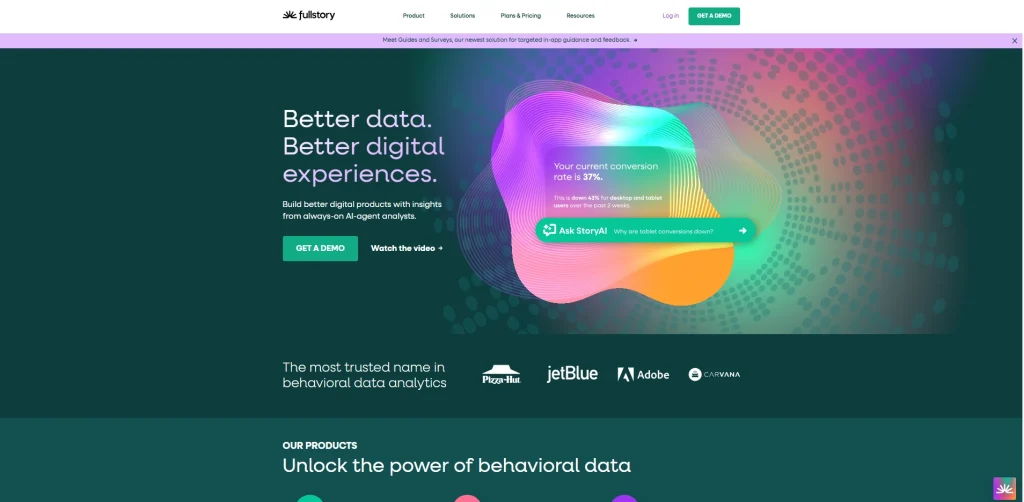
Fullstory is an enterprise digital experience intelligence platform that uses autocapture technology to record every user interaction automatically at the DOM level, without manual event tagging.
Its primary purpose is to give enterprise product, engineering, and support teams a complete behavioral data layer they can query retroactively.
Fullstory stands apart through its Fullcapture technology and StoryAI, which show user insights and detailed reports from large session volumes across web and mobile apps.
Pricing scales steeply at volume. FullSession covers the same behavioral use cases at a significantly lower cost for growing teams.
- See how FullSession compares to FullStory.
- Learn more about FullStory competitors.
Best for
Enterprise digital and product teams that need complete retroactive session capture and have the resources to operate a sophisticated behavioral analytics platform at scale.
Key features
- Fullcapture autocapture: Records every user action automatically at the DOM level, with no manual event tagging required.
- DOM-level session replay: Reconstructs actual user sessions, including JavaScript console and network data for detailed reports.
- Frustration signals: Auto-detects rage clicks, dead clicks, and error clicks to surface friction across user journeys.
- Funnels and journeys: Build conversion funnels and user path visualizations from any captured event.
- StoryAI: AI-powered analysis that helps teams gain insights and identify behavioral patterns across large datasets.
- Mobile analytics: Session replay and behavioral capture for iOS and Android to track user behavior consistently across platforms.
Pricing
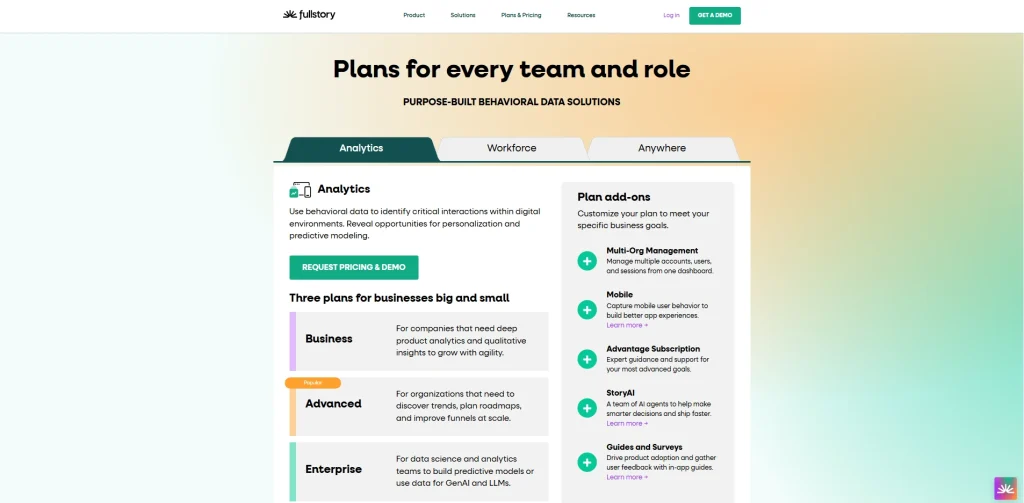
Fullstory offers a free plan with 30,000 sessions/month and 12 months of retention. Business, Advanced, and Enterprise plans use custom session-based pricing.
6. Mixpanel

Mixpanel is a product analytics platform built specifically for tracking how users interact with product features over time, not just how they arrive at a website.
Its primary purpose is to help product and growth teams analyze user engagement, retention, feature adoption, and cohort behavior in SaaS products.
What makes Mixpanel different is the depth of its event-based user analytics. Every interaction is tracked at the individual user level, enabling detailed cohort analysis, A/B testing reports, and long-term retention reporting across marketing channels that traffic tools can’t provide.
Event-based pricing can scale unexpectedly for high-traffic products. Mixpanel doesn’t offer heatmaps, and its session replay is newer and less mature than dedicated behavioral tools like FullSession.
- Learn more about Mixpanel alternatives.
- Read more about Mixpanel vs GA.
- See how Mixpanel compares with Hotjar and Contentsquare.
Best for
Product and growth teams at SaaS companies that need to track user behavior at the feature level, run cohort analysis, and understand which marketing campaigns and product changes are driving long-term user engagement.
Key features
- Event tracking: Every user action is captured as a structured event with custom properties, enabling precise user analytics and segmentation.
- Retention analysis: Cohort charts show how effectively your product retains users over time across behavioral segments.
- Funnel reports: Multi-step funnels identify where users abandon flows and where users engage most across web and mobile.
- Session replay: 20,000 monthly replays on the Growth plan, adding behavioral context alongside quantitative analytics data.
- Customizable dashboards: Flexible reporting views let teams organize key metrics and track the analytics capabilities most relevant to their goals.
- Data modeling: Connects to CDPs and data warehouses for centralized customer data analysis across digital channels.
Pricing

Free: 1M events/month, 10K session replays.
Growth: first 1M events free per month, then pay-as-you-go by volume.
Enterprise: custom pricing.
7. Matomo
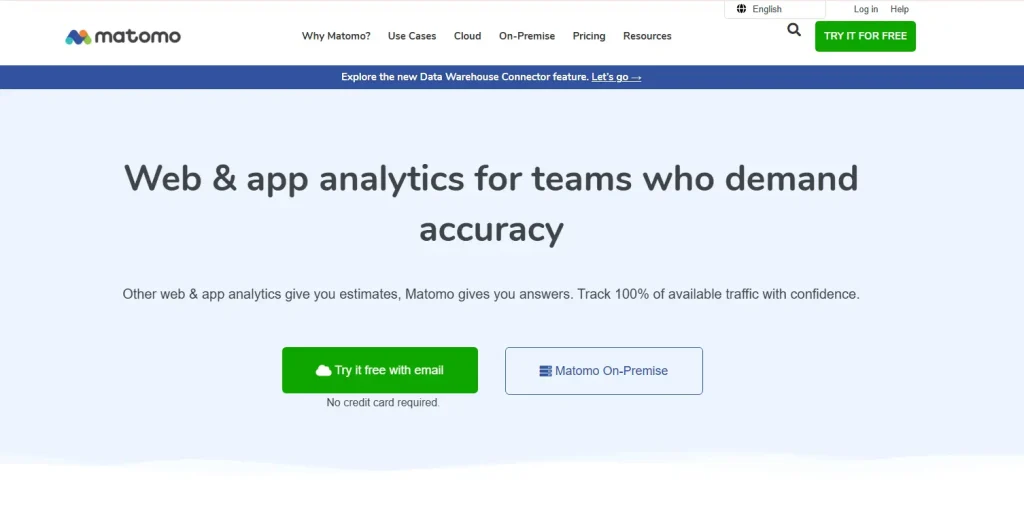
Matomo (formerly Piwik) is an open-source, privacy-first web analytics platform for organizations that require full data sovereignty.
Its primary purpose is to deliver comprehensive website analytics while keeping all customer data under the organization’s complete control, either on its own servers or via GDPR-compliant cloud hosting.
What makes Matomo uniquely different from every other tool on this list is that it collects 100% unsampled data with no third-party data sharing.
Self-hosting requires ongoing infrastructure management. Matomo is optimized for data sovereignty, not conversion rate optimization.
Best for
Organizations in regulated industries, European businesses subject to strict GDPR requirements, and any team that can’t accept third-party cloud storage of their website or analytics data.
Key features
- Self-hosted deployment: Install on your own servers for complete control over where customer data is stored and accessed.
- 100% unsampled data: Every session, event, and key metric captured without approximation. Unlike most other tools, there’s no data sampling.
- Built-in GDPR and CCPA compliance: Consent-exempt configurations and IP anonymization built into the platform architecture.
- Heatmaps and session recordings: Available within Matomo Cloud plans to analyze user behavior visually.
- A/B testing and tag manager: Built-in experimentation and tag management reduce dependency on other analytics tools.
- Data portability: Export a full raw data dump at any time and migrate freely between hosting options.
Pricing
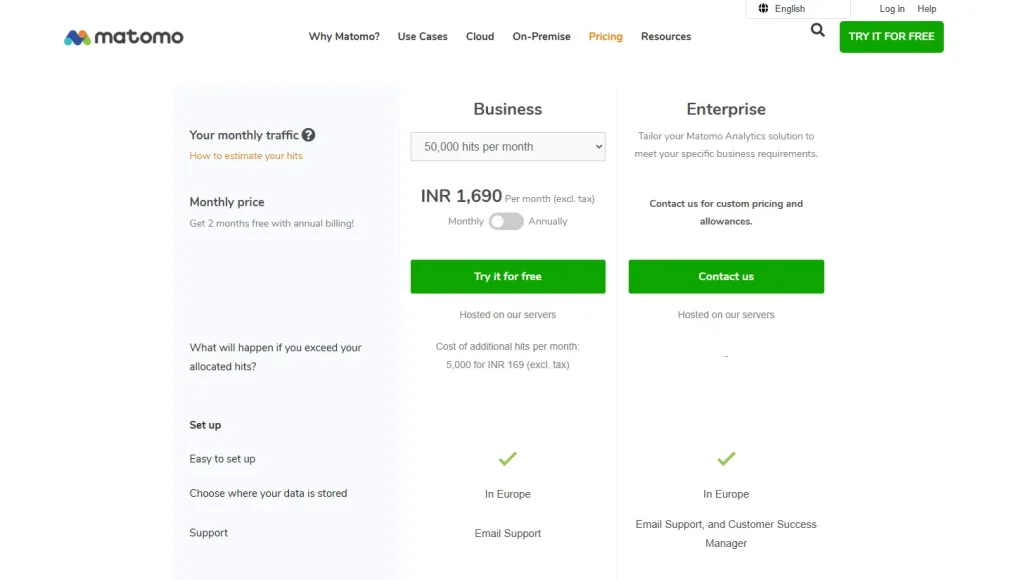
On-premise: free (open-source). Optional paid plugins for heatmaps and session recordings are available via the Marketplace.
Cloud: Business starts at €22 per month; Enterprise offers custom pricing.
8. Heap
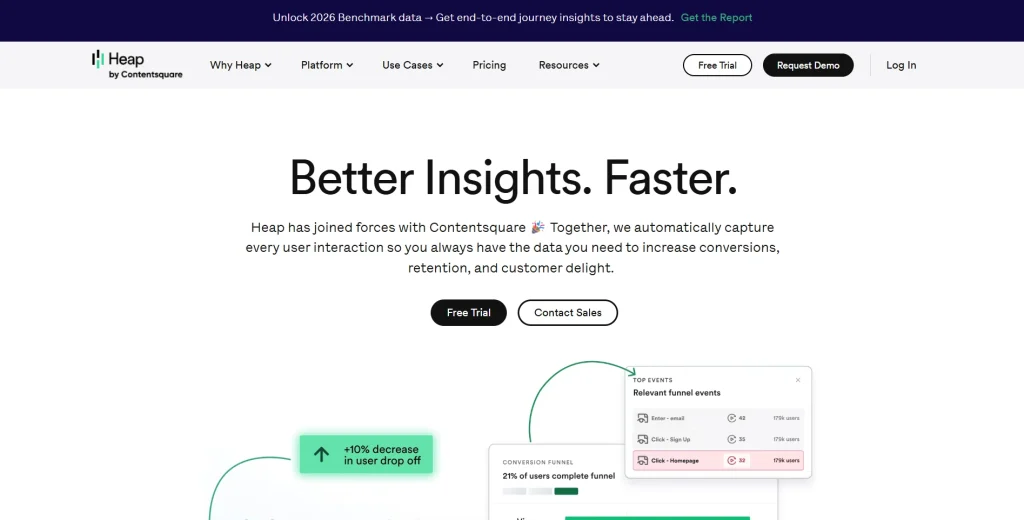
Heap is a product analytics platform (now part of Contentsquare) built around autocapture: recording every user interaction automatically from a single code snippet, without pre-defining events upfront.
Its primary purpose is to enable product teams to analyze user behavior retroactively. Because Heap captures everything from day one, teams can define and query events they didn’t anticipate needing.
What makes Heap different from other product analytics tools is this retroactive analysis capability. Your team can query historical website data to answer questions that were never part of the original tracking plan.
Autocapture generates large datasets that need strong data governance to stay useful. Session replays, heatmaps and error analysis are paid add-ons on higher tiers.
Learn more about Heap alternatives.
Best for
Fast-moving product teams that ship features frequently and need the flexibility to analyze user behavior retroactively, without waiting weeks for engineers to set up new event tracking.
Key features
- Autocapture: A single snippet records every user action automatically with no tracking plan required to gain insights from day one.
- Retroactive event definition: Define events after the fact and instantly query them against all existing historical data.
- Funnel analysis: Build multi-step funnels from any captured event to analyze user journeys and identify drop-off patterns.
- User path analysis: Visualizes the most common paths users take through the product, revealing actual user behavior versus assumed journeys.
- CoPilot AI assistant: Helps non-technical users run analytics queries and generate detailed reports without needing to understand the underlying data model.
- Behavioral segmentation: Creates user cohorts based on any combination of events and user actions for targeted data analysis.
Pricing
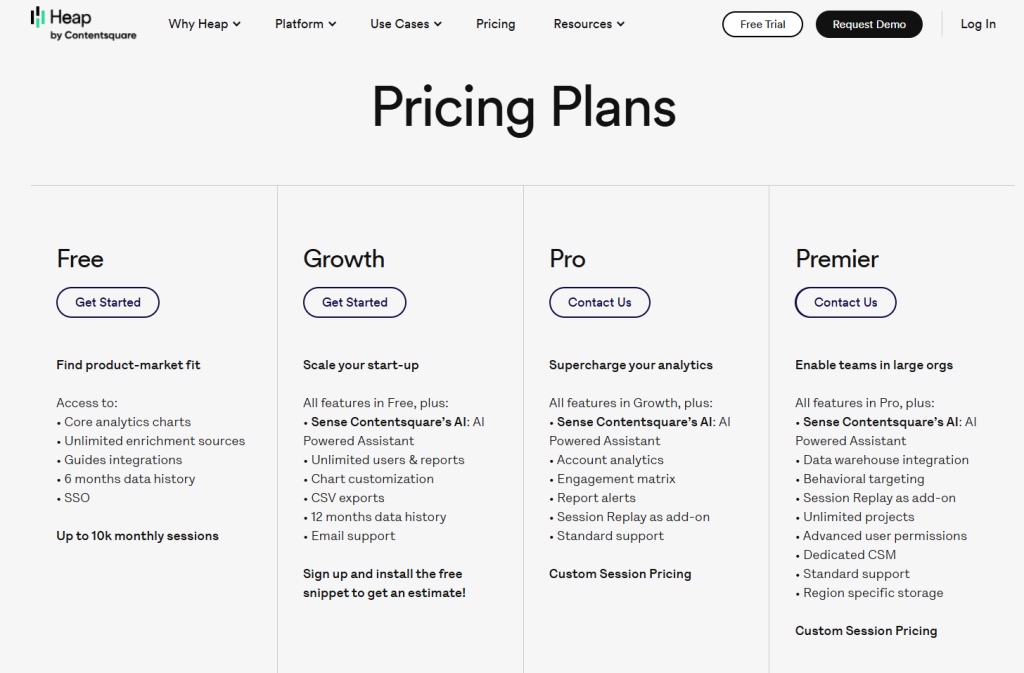
Free: 10,000 sessions/month, 6 months of data history.
Growth and Pro: custom session pricing.
Is FullSession the Best Web Analytics Tool?
For most SMB, mid-market and enterprise teams focused on improving digital performance through behavioral understanding, FullSession delivers the strongest combination of insight depth, ease of use, and pricing transparency on this list.
Here’s the honest breakdown:
- vs. Google Analytics 4: GA4 is essential for traffic and marketing campaigns, but it can’t show you what users experienced in actual user sessions. FullSession is the behavioral layer GA4 is missing. They work better when used together.
- vs. Adobe Analytics: Excellent marketing analytics for enterprise teams, but inaccessible for most without a six-figure budget and dedicated analytics staff. FullSession delivers comparable behavioral insights at a fraction of the cost.
- vs. Hotjar: Comparable heatmap and session replay analytics capabilities, but mid-migration into Contentsquare with no AI prioritization. FullSession includes Lift AI and has a clearer standalone roadmap.
- vs. Fullstory: Strong enterprise platform, but pricing scales steeply and full features require dedicated resources. FullSession covers the same behavioral use cases at significantly lower cost for growing teams.
- vs. Mixpanel: The right choice for product analytics and long-term retention. It doesn’t have heatmaps, and its session replay is newer. Teams that need both user analytics and UX diagnostics often pair Mixpanel with FullSession.
- vs. Matomo: Right for data sovereignty. Not optimized for conversion rate optimization. FullSession delivers deeper behavioral analytics capabilities out of the box.
- vs. Heap: Autocapture is powerful for retroactive analysis, but session replays, heatmaps and error tracking are paid add-ons, and data governance is a real ongoing burden. FullSession includes session replay, heatmaps, and error tracking, even in the free plan.
Teams comparing developer-first analytics tools can also review our PostHog alternatives guide for a clearer comparison.
Where FullSession is a bit behind some of the larger competitors is Integrations. However, we welcome integration requests as part of any enterprise engagement. If it’s a blocker to adoption, we build it. Responsiveness is something we can still offer that the larger players can’t.
What makes FullSession stand out is that it’s the only platform on this list that combines session replay, interactive heatmaps, funnel analysis, error tracking, in-app feedback, and Lift AI in one platform.
It starts at $23/month (billed annually), and GDPR, CCPA, and PCI compliance are built in. Non-technical users can install it and watch real user sessions within minutes.
Want to see how FullSession fits your workflow?
Book a demo and see how session replay, Lift AI, and heatmaps translate into prioritized improvements.
Final Words About Web Analytics Tools Comparison
The right web analytics tools comparison comes down to what your team needs to know.
- GA4 is the foundation for traffic and marketing campaigns.
- Mixpanel or Heap belong in the stack when product analytics and user engagement metrics are the priority. Matomo is right when data sovereignty is non-negotiable.
- Fullstory and Adobe Analytics serve enterprise teams with the resources to match.
But if the goal is to understand user behavior beyond key metrics, watch actual user sessions, identify patterns in website data, and make data-driven decisions backed by behavioral evidence, FullSession is the most complete, accessible answer on this list.
You can start a free trial with no credit card required. Install the snippet in under five minutes and watch real user sessions the same day.
Or book a demo to see Lift AI, session replay, and heatmaps in action.
FAQs About Web Analytics Tools Comparison
Google Analytics 4 is the best free tool for traffic and campaign attribution. For behavioral analytics and actual user sessions, FullSession’s free plan includes 500 sessions/month with no credit card required. Choose based on whether you need traffic data or user behavior analysis.
Web analytics tools measure how visitors arrive and navigate your site, tracking traffic sources, key metrics, and user actions. Product analytics platforms track how users engage with specific features over time. FullSession bridges both, showing the actual user experience behind the numbers.
Matomo is the most recognized option, offering self-hosted deployment with no third-party data sharing. FullSession, Mixpanel, and Fullstory all offer GDPR-compliant configurations. Google Analytics 4 has faced regulatory scrutiny in several EU countries regarding data transfers to US servers.
Match the tool to your primary question. Traffic attribution: use Google Analytics 4. Feature adoption and retention: use Mixpanel or Heap. User behavior and conversion diagnostics: use FullSession. Also factor in your technical capacity, budget, data privacy requirements, and integration fit with your existing analytics platform.
Yes. Most high-performing teams run two or three tools simultaneously. A common stack is GA4 for traffic, Mixpanel for product metrics, and FullSession for behavioral diagnostics. Each tool covers different analytics capabilities with minimal overlap.
Session replay reconstructs actual user sessions as a video-like playback, showing every click, scroll, and hesitation. Standard analytics tools show where users dropped off. Session replay shows what they experienced. FullSession links replays directly to funnel steps and errors, so your team can move from identifying a problem to understanding its cause in minutes.
See what’s costing you, and prove whats fixing it is worth
Watch the real journey, rank every issue by revenue impact, and validate the result against baseline.






.svg)



All systems operational.