.svg)
Find the field that is failing, fix it, and prove it held.
See the exact step causing abandonment, rank it by completions lost, and prove the result—with governance built in.
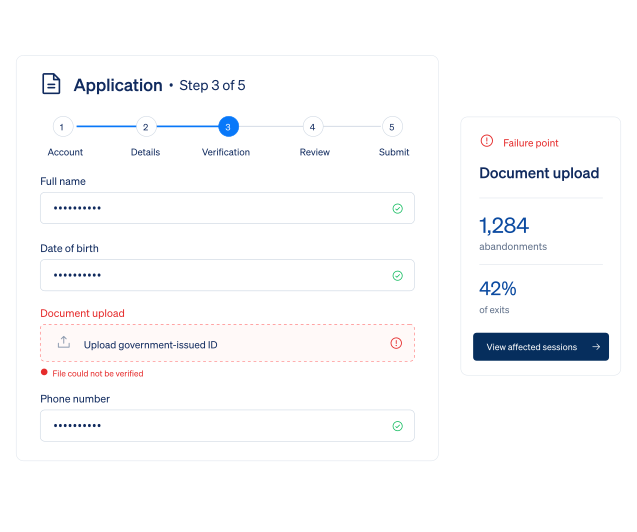






Why forms and portals lose people who almost finished ?
A completion rate hides the field, validation error, timeout, or repeated failure turning an almost-finished journey into support, compliance, or manual work.
.avif)
Find the exact failing field
Map every step and identify the one or two fields responsible for most abandonment.
.avif)
Separate confusion from failure
Use replay, errors, and hesitation to tell UX friction from a technical fault.
.avif)
Close the recurring issue at source
Fix the pattern behind repeated tickets, compliance questions, and manual case handling.
See every form step—and the behavior behind it
Map your critical forms, see where users struggle, and monitor completion and errors over time.
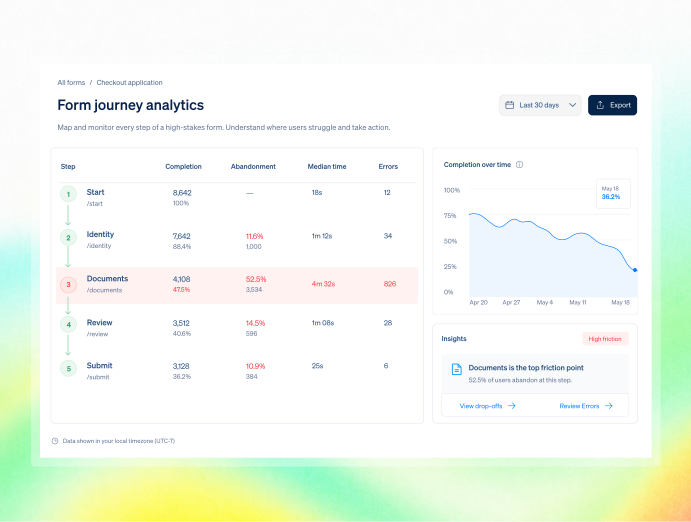
Define your high-stakes form journey start, steps, and submission and track completion, abandonment, and time-to-complete for each step in one view.
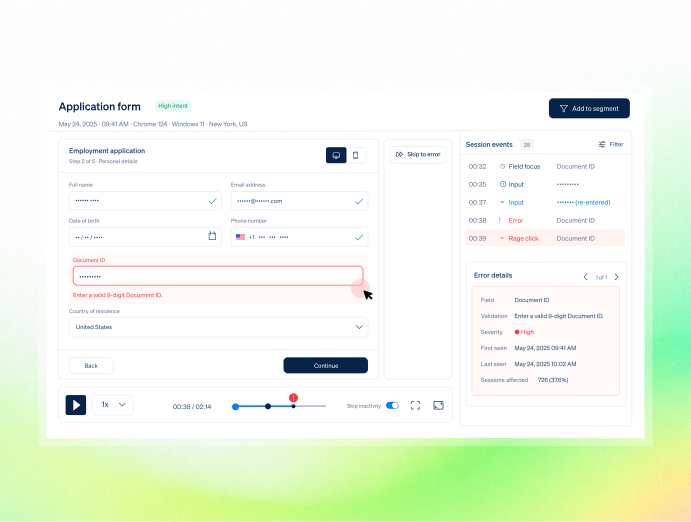
Click into any step to watch session replays, see error events, and review where users hesitate, re-enter data, or rage-click. Understand what they saw when the form felt broken.
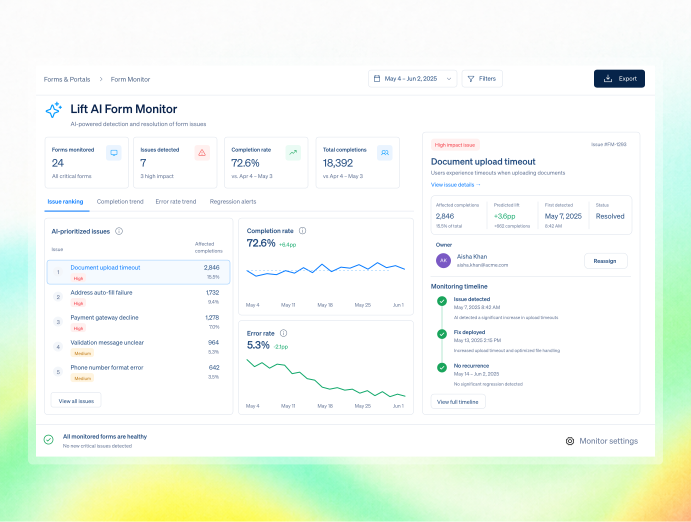
Let Lift AI help fix your critical forms, then monitor completion, errors, and abandonment so problems don’t quietly return.

What form and portal teams get
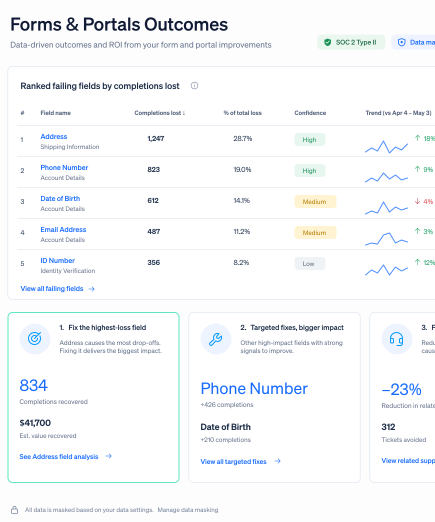
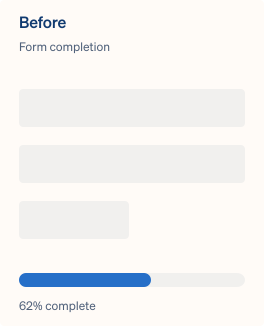
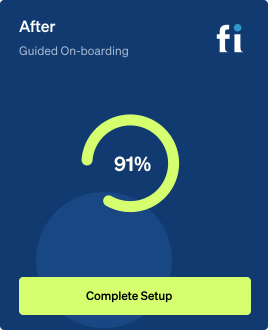
Resolve the fields proven to cause most loss—commonly returning around +16% completion on the top-ranked step.

Fix the highest-loss field
Focus effort on the one or two fields responsible for most abandonment.

Target the proven cause
Repair the field with evidence instead of the one that merely looked suspicious.

Reduce repeat escalations
Close recurring support contacts and manual cases at the source.
Reproduce failures faster
Give QA the exact failing session instead of an intermittent bug description.
How FullSession fixes critical forms
Rank the friction point, predict completion lift, and validate the result after ship.
Teams use FullSession to turn behavior into proven outcomes.
"FullSession shows us exactly where users get stuck without digging through hours of recordings. It’s where we start when we know there’s something wrong and needs fixed. It was easy to launch and the FullSession team is super responsive and helpful."

12x
5x

Security and governance for high-stakes journeys
Run on sensitive customer and employee workflows without storing protected values.

Mask fields, elements, or entire pages at capture, so sensitive data never reaches FullSession. Add playback masking and honor user consent or opt-out preferences.

Mask free text, payments, elements or pages in-browser; add RBAC, SSO/SAML, audit logs, retention, SLA, US/EU residency, GDPR, CCPA and PCI support.

Enterprise-ready security reviews, uptime SLAs, and independently verified safeguards. Data is hosted in the US, with European residency available on request.
Frequently Asked Questions.
Yes, across case management, admin portals, and internal applications, under the same masking, RBAC, and audit-log governance.
No. Sensitive fields are masked at capture, so the underlying values are never stored.
Replay and heatmaps show field-level hesitation and errors, funnels quantify the drop, and Lift AI ranks the fields by predicted impact.
Yes. Error tracking links failed submissions to the exact sessions.
Access is controlled by RBAC and SSO/SAML, and every access event is recorded in live audit logs.
Yes. FullSession measures completion against baseline after the fix ships.
Every abandoned form is a specific, fixable field.
Find the field, reproduce the failure, and prove the completion rate recovered.


.svg)
.svg)
212 E Stone Path St Derby, KS 67037 Phone: +1 415-649-4222



All systems operational.